
 Back to all posts

To improve Google ranking, fix the page that best matches the query first, then build on it. Start with intent and useful content, make the page crawlable and fast on mobile, then strengthen internal links, credible external links, local signals where relevant, and measurement. No tactic can secure a fixed position, but this sequence gives Google clearer signals to evaluate and serve the page. Links from relevant, indexed pages are the strongest lever we pull, and they pull hardest on a page that already matches the query and is indexed, so run the pre-link check in section 7 before you spend a link budget. Start there.
Key takeaways
- Start with the query task. If the page does not satisfy intent, technical polish and links have less to support.
- Treat Google ranking as a system of signals. Google’s own ranking guidance refers to many systems and signals, and the page has to earn each of them.
- Build links to pages that are ready for them. Relevant links from real publications remain among the strongest signals Google uses; the pre-link check in section 7 makes sure they land on a page that can convert them.
1. Match search intent first
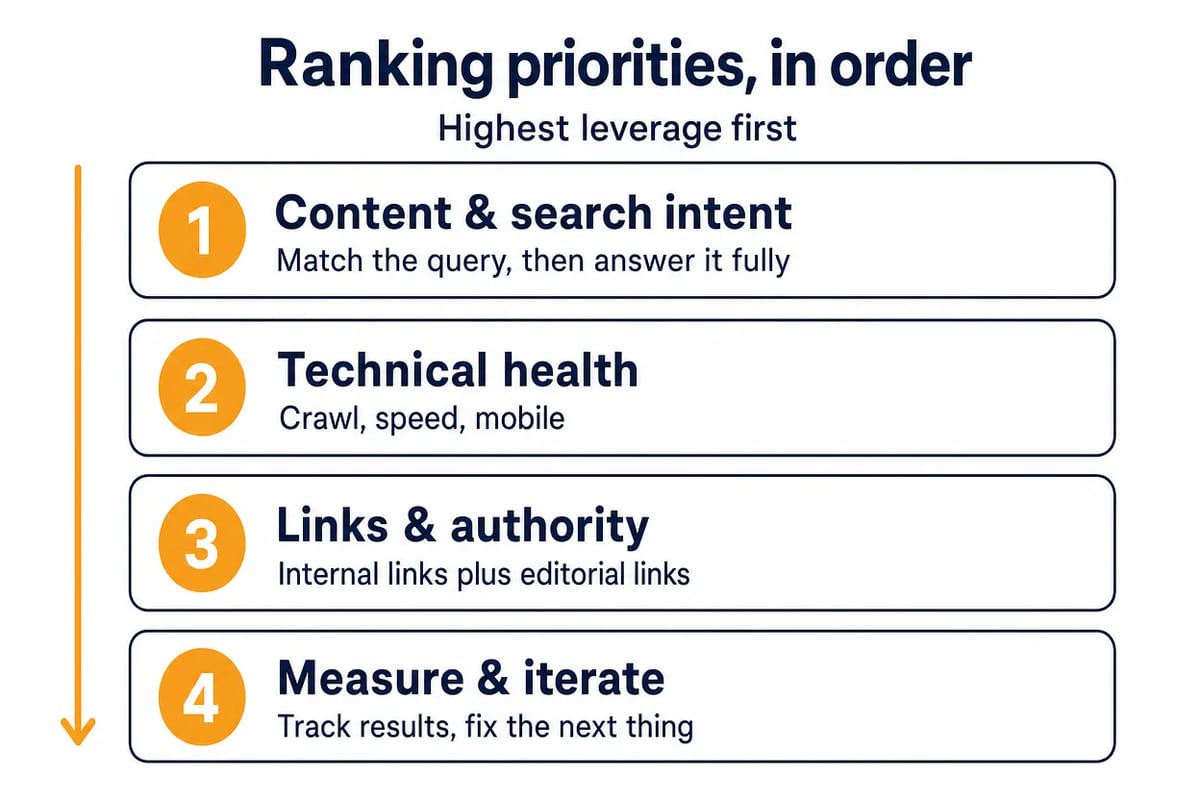
Search intent is the first check because it decides what kind of page can compete. A service page, listicle, local page and tutorial may all target similar words, but they serve different jobs.
Open the current results for the query before editing the page. Look at the page types, result features, depth of answer, commercial angle, freshness need and local intent. Then decide whether your page needs a clearer answer, a better comparison, stronger proof, a tighter service fit or a different format.
Use search intent analysis to avoid changing the wrong thing. If the results are mostly local packs and service pages, a long informational post may struggle. If the results are practical guides, a thin commercial landing page may struggle. If the results are comparison-led, a one-sided product pitch may not meet the task.
Separate the intent from the keyword. "Improve Google ranking" can mean a checklist, an audit process, a local profile fix, a content update plan or a link-building plan. The page has to choose the right job. Trying to serve every possible job often leaves the reader with a broad page that answers none of them well.
Intent also sets the update order. Fix mismatched pages before you edit title tags, add schema or build links. Each of those works best when the page already deserves to be considered for the query. Fix that first.
2. Develop helpful, reliable content
Content quality is still the main work. Google Search Central’s people-first content guidance asks whether the page is useful to an intended audience, shows first-hand knowledge where it matters, and leaves the reader able to achieve their goal.
That is a better frame than old "content is king" advice. A useful page answers the query directly, covers the decisions the reader has to make, removes outdated claims and avoids padding. It also shows why the reader should trust the answer.
Do the keyword work, but keep it in service of the reader. Effective keyword research helps you see how experienced and newer searchers phrase the same need. Use that to choose the page angle, headings and examples. Do not repeat a phrase because a tool suggests a density target.
Use E-E-A-T as a quality lens, not a checkbox. Google’s systems use signals that can align with experience, expertise, authoritativeness and trust, but E-E-A-T is not a direct mechanical score. The useful edit is to add proof: named expertise, clear sources, first-hand examples, accurate definitions, transparent limitations and current information.
When rewriting or expanding a page, ask four questions:
- Does the first screen answer the query plainly?
- Does each section help the reader decide or act?
- Are claims supported, qualified or removed?
- Would a knowledgeable person spot anything thin, stale or exaggerated?
If the answer is weak, improve the content before you look for more links.
Then check the page against the live results. You do not need to copy competitors, and you should not add sections only because another page has them. Look for missing decision points: examples, definitions, exclusions, risks, steps, proof, or a stronger opening answer. If a section does not change what the reader understands or does, cut it or rewrite it.
3. Establish a solid SEO foundation
Technical SEO does not make weak content strong. It makes strong content easier for Google and users to access. Start with crawlability, indexability, mobile parity, speed and clean site structure.
Run a technical SEO checklist on the pages that matter most commercially. Confirm they return the right status code, are not blocked by robots.txt, use sensible canonicals, load the main content without broken scripts and appear in XML sitemaps where appropriate.
Structure matters because users and crawlers both follow paths. Important pages should be reachable through navigation, hubs, category pages or relevant articles. A page that is only listed in a sitemap is easier to ignore than a page that sits in a clear internal hierarchy.
URLs should be readable and stable. Short, descriptive slugs help people understand where they are, and keyword-rich URLs can clarify the topic when they stay natural. Do not change live URLs for small wording gains unless the redirect, internal links and risk are worth it.
Where this goes wrong: teams check the clever points before the boring ones. A noindex tag, incorrect canonical, blocked template file, broken mobile render, redirect chain, empty category page or soft 404 can stop a page from earning visibility even when the copy is strong. Search Console’s URL Inspection tool is often enough to separate an indexing issue from a ranking issue.
Technical fixes should be prioritised by page value and severity. Fix blocked or misindexed money pages before polishing low-traffic articles. Fix template-wide speed and layout problems before tuning one page. The goal is to make the best pages easier to crawl, render, index and use.
4. Optimise on-page elements
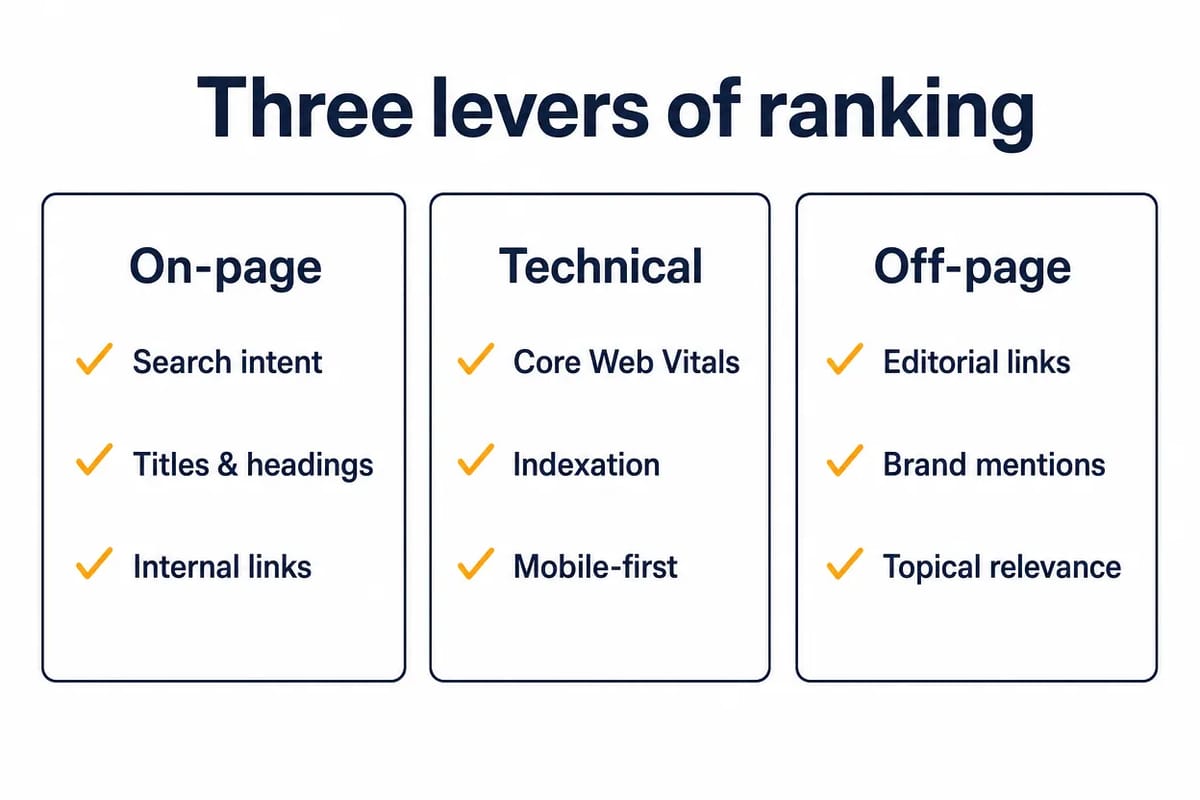
On-page SEO is where you make the page easier to understand. Titles, headings, introductory copy, internal anchors and snippets should all point to the same topic without sounding forced.
Start with page titles and meta descriptions. Google says title links can be influenced by clear, concise and accurate titles. It does not verify a fixed advantage for placing the keyword at the front of every title, so write for clarity first. Put the primary topic in the title if it fits naturally.
Meta descriptions are snippet copy. They can help a searcher decide whether the result fits their need, but they are not a place for hype. Write one or two useful sentences that reflect the page, avoid bait, and include the likely reason to click.
Headings should make the page scannable. Use one H1 for the main topic, then H2s and H3s for the steps, choices or questions the reader needs. Include natural query language where it helps, but avoid headings that exist only to hold keywords.
The same discipline applies to the body copy. Use the primary term where it is the plainest wording, then vary naturally. Add related terms because the topic needs them, not because a tool produced a list. If a sentence would sound odd when read aloud to a customer, it is usually too search-led.
5. Improve mobile experience and page speed
Mobile is not a side version of the site. Google completed mobile-first indexing on 31 October 2023, and the mobile-first indexing guidance says Google uses the mobile version of a page’s content for indexing and ranking.
Check that mobile pages carry the same primary content, headings, metadata, internal links, structured data and useful images as desktop pages. A stripped mobile page can weaken indexing because Google may not see the content you assume it can see.
Page experience also matters, but keep the caveat. Google’s page experience guidance recommends good Core Web Vitals for Search success and user experience, while making clear that scores alone do not decide the result.
Prioritise fixes that users can feel:
- Reduce slow server response and render-blocking assets.
- Compress large images and remove unused scripts.
- Keep buttons, forms and navigation usable on small screens.
- Avoid intrusive pop-ups that hide the main content.
- Test key templates in Search Console, PageSpeed Insights and real devices.
Speed is rarely the whole answer. It is a multiplier. Not the fix. A fast useful page has a better chance than a fast empty page.
Treat mobile testing as a template habit, not a one-off launch check. Test the blog template, service template, location template, product template and any heavily customised page type. A single design change can hide headings, shrink tap targets, delay content or move internal links below elements that users never reach.
6. Use internal linking to clarify priority pages
Internal linking helps users move through the site and helps Google understand which pages matter. It is one of the cleanest fixes because you control the links, the context and the destination.
Start with priority pages. Each important page should have links from relevant hubs, related articles and navigation paths where appropriate. If a page has commercial value, do not leave it isolated.
Anchor text should be descriptive, concise and relevant. Google’s link guidance says anchor text gives users and Google context about the linked page. That means "technical SEO checklist" is more useful than "click here", but repeated exact-match anchors across a site can look unnatural.
Use internal links to connect topics, not to force every page to every other page. A small number of relevant links in the right paragraphs is usually stronger than a long block of generic links at the end.
Audit internal links in both directions. Check which pages link to the target page, and which pages the target page links out to. The first set tells Google and users that the target matters. The second set helps the target page sit inside a wider topic cluster. Both should feel editorial, not mechanical.
7. Build high-quality backlinks carefully
Links remain one of the strongest ranking levers, and the one an agency can move fastest. Google’s ranking systems guide says link analysis systems, including PageRank, help Google understand how pages relate to each other and which pages may be helpful for a query.
Before we build a single link to a URL, we check four things, and we have paused campaigns on each of them. Does the page match the intent of the query it is meant to rank for, or is it a thin commercial page sitting under an informational query? Is the URL indexed? Is it already the best answer on the site, or is a sibling page splitting the query? Do the site’s own internal links point at it? A page that fails any of those does not convert links into rank, so we fix the page first and spend the link budget where it converts. The most common failure is the third one: two pages on the same site chasing the same query, so a link to either one is half wasted.
The check exists so the link budget lands on a page that can convert it. Once a page passes, links are the lever that moves it.
Cyrus Shepard, writing up Zyppy’s 2026 expert survey of Google ranking factors with Dawn Shepard on 9 September 2026: "The rumor of the death of backlinks has been greatly exaggerated. In fact, respondents rated links from trusted, relevant sites as one of the most important factors." Backlinks were the second most-selected top-three factor in that survey, behind relevance. Kevin Indig, author of the Growth Memo newsletter, wrote on 20 May 2025: "Backlinks provide another confidence layer for Google that your content is good and relevant for a specific topic."
Rhino Rank’s published campaigns are success stories, not a full sample, and they ran for a median of twelve months before the reported result; those durations are campaign lengths, not time to first movement. Once a page passes the four checks, the next questions are how many backlinks a page needs and how to measure what a campaign returned.
Manual outreach can work when the placement is earned and the page fit is real. Guest posting should mean a useful article for a relevant publication, not mass anchor placement. Curated link building should mean a contextual link on an existing relevant page where your resource genuinely adds value. Visual link building should still earn its place through useful visual content, not decoration.
What separates a link that works from one that does not is the publisher. Before a placement goes live, we check that the site has real traffic, that the page is indexed, that the link sits in the body of an editorial article and not a footer or author box, and that a person has signed it off; every placement carries 12-month replacement cover. If a seller cannot tell you who the publisher is and why the page would mention yours, that is the link to walk away from.
Broken link building is cleaner when it solves a real problem. Find a dead citation, offer a close replacement, and let the site owner decide. It becomes weak when the replacement is only loosely relevant or the outreach is scaled with no care for the page.
Judge backlink quality at page level. A known domain can still host a weak page, and a smaller publication can still send a useful link if the page is relevant, indexed, visible and written for a real audience. Check the linking page’s topic, outbound links, traffic trend, anchor text, placement and reason to mention your page.
Anchor text should look like an editor chose it. Brand names, page titles, partial-match phrases and plain descriptive anchors are all normal. A pattern of repeated commercial anchors is not normal. Vary anchors across a campaign so the profile reads as if an editor chose each one.
8. Keep useful content current
Freshness is query-dependent. Google’s ranking systems include freshness systems for queries where newer information is expected, and changing the date without a substantial change to the content does not help.
Run content audits around traffic, rankings, conversions and factual risk. Update pages when the answer has changed, examples are stale, statistics are old, product details have moved, screenshots no longer match, or competitors now answer the query more completely.
Do not refresh content by adding fluff. Remove dead advice, merge repeated sections, add missing caveats and tighten the first answer. If a page is already performing well, be cautious with large structural changes unless you have a clear reason.
Consistent publishing can help when it expands useful coverage for a real audience. Posting on a schedule is not the signal. Publishing pages that answer new, relevant searches is the work.
Use a light update log internally. Record the old problem, the change made and the expected result. That stops teams from making the same edit repeatedly and helps you see whether traffic moved because of a content change, a technical fix, a core update or a competitor improving their page.
9. Use local SEO when the query needs a local answer
Local SEO only helps when the search has local intent. A plumber, clinic, solicitor, restaurant or regional service page has a different job from a national guide.
For local visibility, start with local SEO strategy basics: accurate name, address and phone details, clear service areas, useful location pages, consistent business information and evidence that the business serves that area.
Claim and optimise your Google Business Profile if you serve customers in person or across a defined area. Google’s local ranking guidance summarises local results as mainly based on relevance, distance and popularity, then names the related factor as Prominence: how well-known a business is. You cannot pay Google for a better local organic position, so focus on complete information, useful photos, accurate hours and review quality.
Use local keywords where they help the reader. A location in the title, heading, copy or service page can clarify relevance. Stuffing every nearby town into a page does the opposite. Build pages only for places you can serve properly.
Local pages also need proof. Add service details, opening hours, contact routes, staff or location information, customer evidence and directions where they are useful. A city name pasted onto a generic page is weak. A page that proves the business belongs in that area is much stronger.
10. Monitor performance and iterate
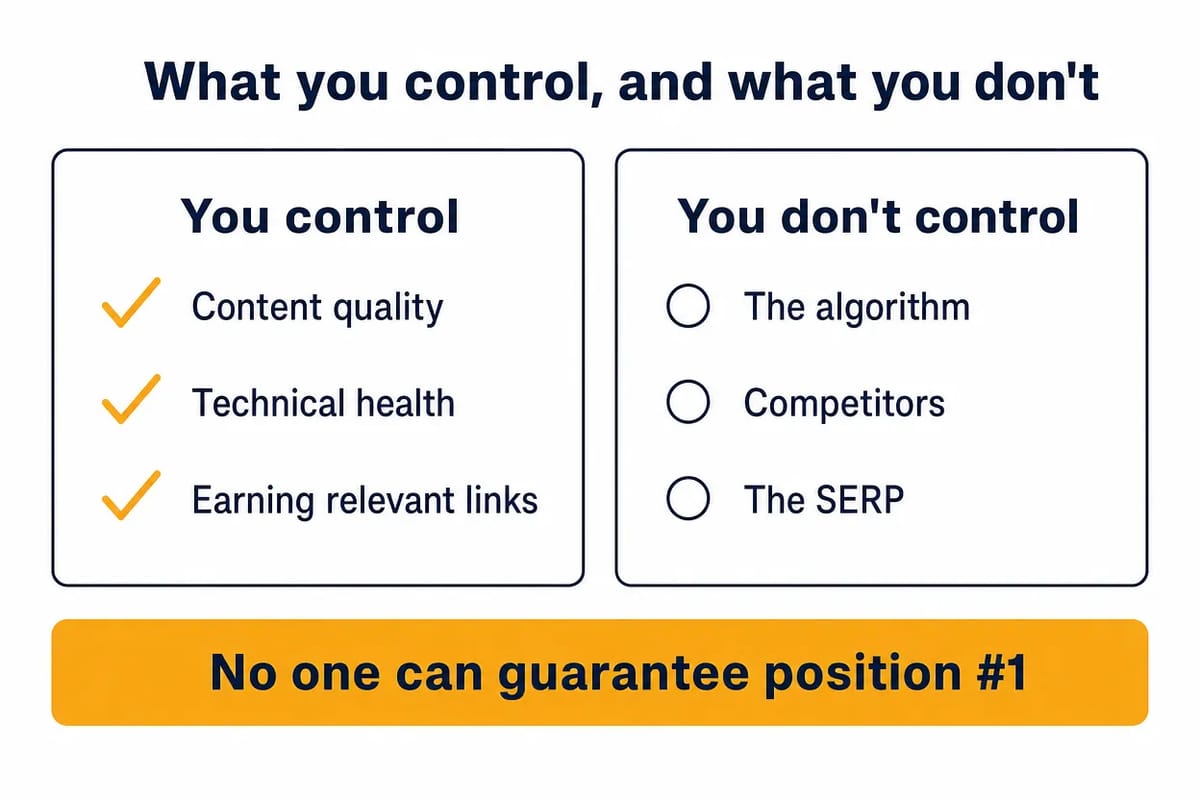
Measurement does not directly improve Google ranking. It tells you what to fix next.
Use Google Analytics and Search Console together. Search Console shows queries, impressions, clicks and average position in the Performance report, indexing state in URL Inspection and the Page indexing report, and Core Web Vitals in its own report. Analytics shows what users do after they arrive, including leads, sales, engagement and drop-off points.
Build a monthly review around pages, not vanity totals. For each priority page, track:
- Queries gaining or losing impressions.
- Click-through changes after title or snippet edits.
- Indexing and canonical issues.
- Mobile and Core Web Vitals issues.
- Conversions from organic traffic.
- Sections that need a content update.
Give changes time. Google says some changes can take effect in a few days but others can take several months to be reflected in Search, and that positions are not fixed. If you edit a page, record what changed, when it changed and what you expect to move. Then judge the result against the page’s main queries and business goal.
Use measurement to choose the next constraint. If impressions are low, the page may not be considered relevant enough or may lack authority. If impressions are rising but clicks are weak, the title, snippet or result fit may need work. If clicks rise but leads do not, the page may answer the query without moving the user towards the right next step.
Frequently asked questions
What is the most important step to improve Google ranking?
Start with the page’s match to search intent. A technically clean page with links can still underperform if it answers the wrong question. Once the intent fit is right, improve content quality, crawlability, page experience, internal links, external links and measurement in that order.
How often should I update website content?
Update content when the answer, evidence, product details, SERP format or competitive standard changes. Some pages need frequent updates because the topic moves quickly. Others can stay stable for longer if they remain accurate and useful.
Do backlinks still help Google rankings?
Yes. Relevant editorial links can support discovery, context and authority, and they remain one of the strongest levers once the page matches the query and is indexed. Judge the publisher rather than the fact that a placement was paid for: real traffic, an indexed page, an in-body link and a person signing it off are what separate a link that works from one that does not.
How should I use E-E-A-T?
E-E-A-T is not a single score you optimise directly. It is a useful way to assess whether a page shows experience, expertise, authoritativeness and trust. The practical work is to make claims accurate, cite well, show real experience and remove unsupported advice.
Do title tags need the keyword at the beginning?
No fixed title-order rule is verified in Google Search Central guidance. Write a clear, concise and accurate title that includes the main topic naturally. A title should help the searcher and Google understand the page, not follow a rigid placement formula.
What tools should I use to track SEO performance?
Use Search Console for Google search data and indexing issues. Use Analytics for user behaviour and conversions. Add crawling, rank tracking and page-speed tools where they help diagnose a specific problem, but do not treat tool scores as the goal.
related Blog Posts



Join 7,000+ Clients Growing with Rhino Rank
Sign Up


Stay ahead of the SEO curve
Get the latest link building strategies, SEO tips and industry insights delivered straight to your inbox.