
 Back to all posts

The link building mistakes that cost you the link are not about which links you build. They are process mistakes: a link pointed at the wrong URL, an anchor that does not describe the page, a placement nobody checked. Each one costs you a link or wastes one you already have.
This page covers nine common link building mistakes in running a campaign. Some are strategic link building mistakes, such as where you point your links. Others are SEO link building mistakes made in the daily work, such as never opening the page once the link is live. For each one we say what goes wrong, how to check for it, and the dated source behind it where there is one. Where a figure comes from one dataset, we say whose it is and what it covers.
1. Pointing the link at the wrong URL
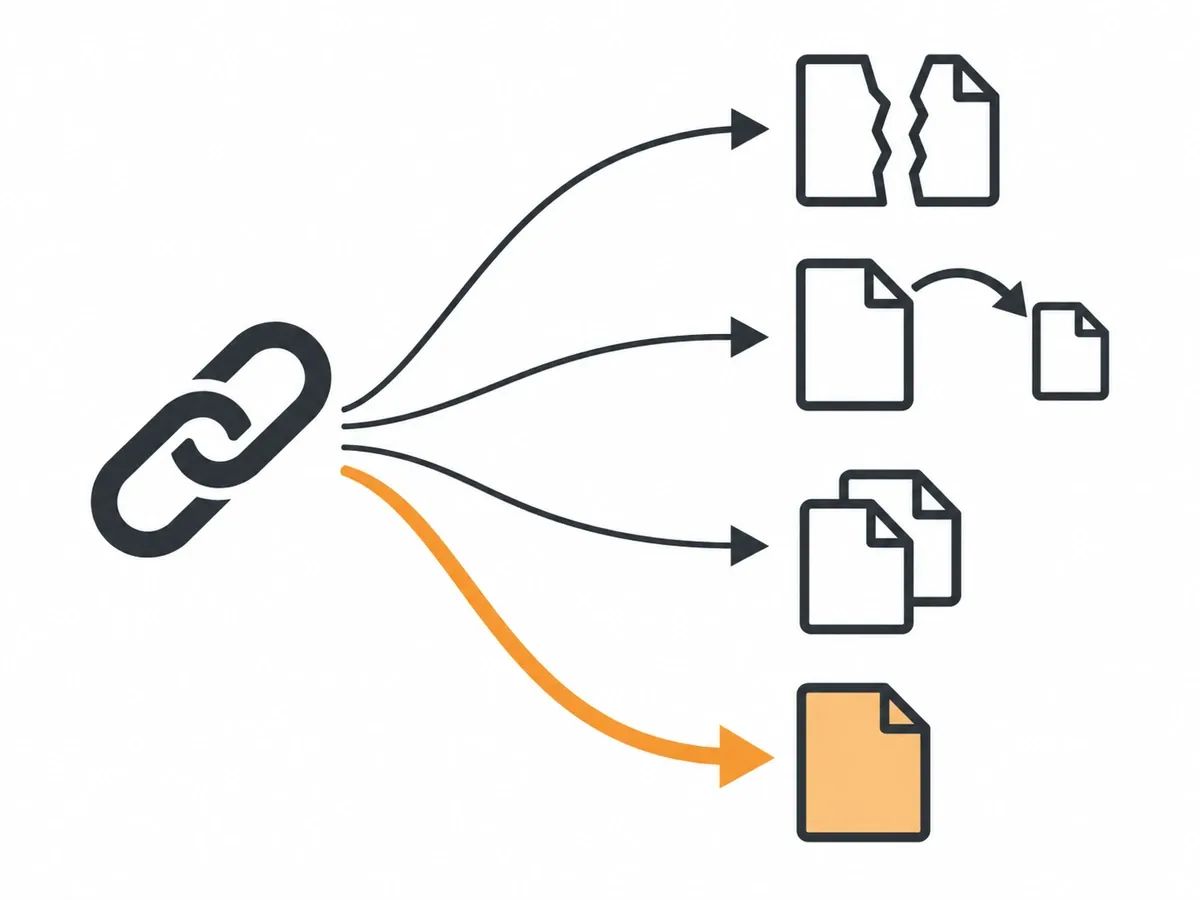
The link goes live, but the URL you gave is not the page you meant. It happens in four ways.
- A dead page. The URL returns 404, so the visitor who follows the link reaches an error page.
- A URL that redirects. An old address, or the http or non-www version of the page. The visitor still arrives, but through an extra hop that has to keep working. If that hop stops working, the link stops working with it.
- A duplicate URL. The same page reached with tracking parameters or a session ID on the end.
- A page set to noindex. A page you have told search engines to keep out of their results, such as a thank-you page.
The duplicate case has a name. RFC 6596, an IETF informational RFC published in April 2012, describes the purpose of the canonical link relation: "to designate an Internationalized Resource Identifier (IRI) as preferred over resources with duplicative content." In plain terms, the canonical URL is the one address you have named as the preferred one for that page. That is the address to hand over with the order.
How to check: request the URL and read the status code it returns. A 200 means the page loads at that address. A 301 or 302 means it sends you somewhere else. A 404 means nothing was found at that address. Then open the page source and read the canonical tag and the robots meta tag, so you know which address the page itself names and whether it asks to stay out of search results. Do this for every target URL before you hand it over, not after the link is live. Our guide to HTTP status codes explains what each code means.
We always check the HTTP status code a client's target URL returns before a placement goes out. That way the link does not point at a dead page or a redirect chain.
2. Sending every link to the home page
The home page is the default target because it is the URL everyone knows. But the pages you want found for a product or a topic sit deeper in the site, and if every link points at the home page, those pages get none.
Linkody, a backlink monitoring tool, published figures on 20 September 2026 for 123 online stores with at least 30 monitored links each, 97,846 backlinks in all. Of those links, 35% pointed at the home page, 20% at a page one level down, 30% at a page two levels down and 15% at pages three levels or deeper. The figures cover stores that use that tool, and the depth of a page is only a rough guide to its kind; this is not a measure of every site. Even so, about one link in three landing on a single address is a pattern worth checking against your own.
How to check: open the Links report in Google Search Console. Its "Top linked pages" table lists the pages on your site with the highest number of links from other sites. Read down it. If the home page holds nearly all of them, choose the next targets from the pages below it. On our own order forms the target URL is a field you fill in, so the choice is yours at that point.
3. Choosing anchor text that does not describe the page
The anchor text is the clickable words of the link. The mistake is an anchor that tells the reader nothing about where the link goes, or one that describes a different page from the one it points at. The second case follows from a wrong target URL: the anchor was written for one page, and the URL changed.
How to check: Search Console's Links report has a "Top linking text" table. Its help page says the table groups link text by exact match, ignoring capital letters, and sorts it by count. Read the table against the pages those links point at, and check the words still fit the page a visitor lands on.
On our Curated Links orders you supply the anchor text and the target URL, and after publication we check that both match the order. Our advice on those orders is that branded and partial anchors are often the most suitable. We have a separate anchor text guide on the subject.
4. Ordering a placement without reading the site
This mistake applies whether you order from an agency, a marketplace or a platform. A single metric on an order form does not tell you whether anyone reads the site. The common mistake when using backlink platforms is treating that one number as the whole check. A metric can be earned or it can be empty, and the traffic trend is what tells the two apart.
Before we place a link, we read the site: indexed pages, organic traffic and its trend, Moz Domain Authority, Ahrefs Domain Rating, referring domains and the strength of the site's own link profile, weighed together. We turn away sites whose metrics look impressive but whose traffic doesn't hold up.
Three questions to ask before any order:
- Where on the page will the link sit? Ours sit in the body copy of the page or article.
- What can you see before the link is placed? For Curated Links we offer site approval before placement, on request.
- What happens if the link is later removed? Ours come with 12-month replacement cover: if a delivered link is removed or its page is taken down within 12 months, we replace it like for like.
If you order Guest Posts, the placements are new articles published on real, independently owned websites in your niche. The same three questions are worth asking of anyone you are outsourcing link building to.
5. Stopping after one outreach email
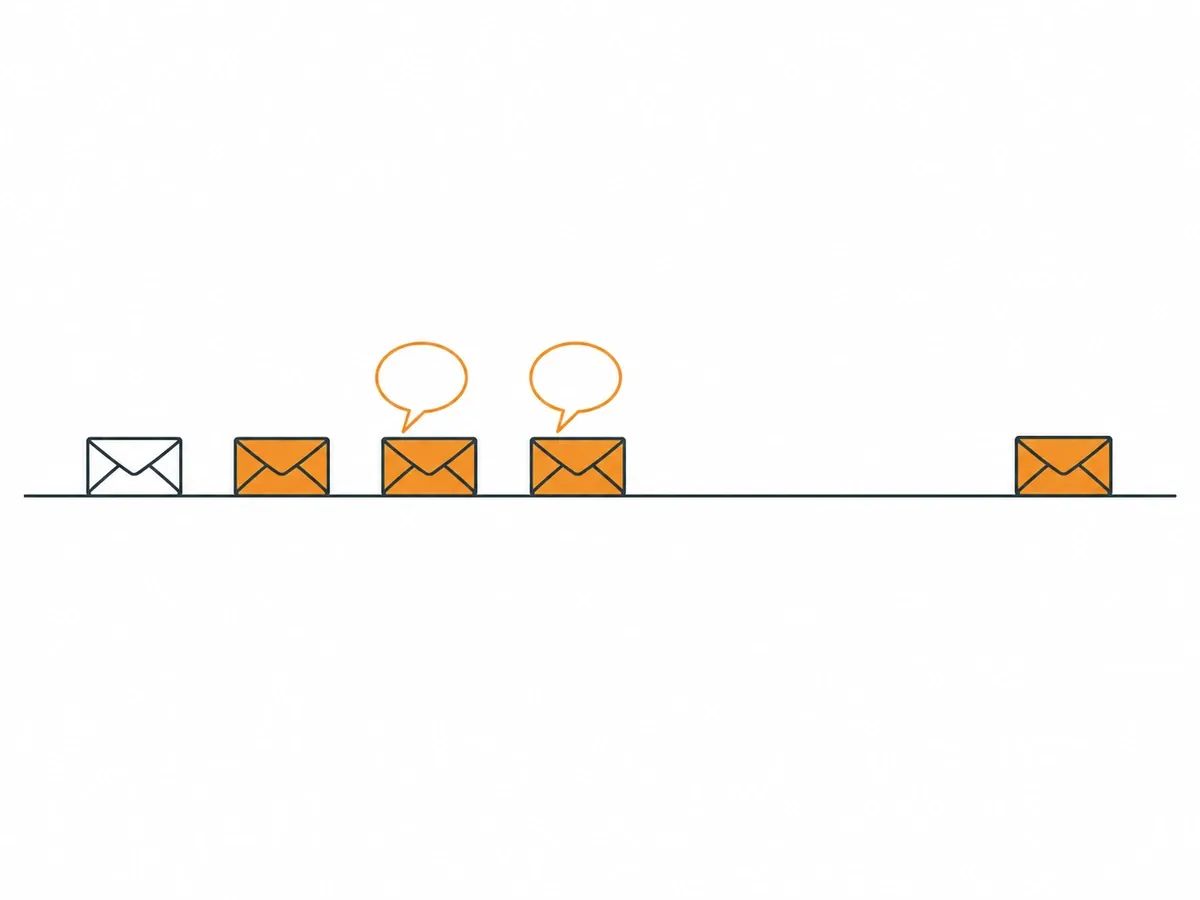
If you win links by outreach, the first email is not the whole campaign.
Mentiohunt, which makes outreach software, publishes counts from its own outreach log. Its report, updated on 4 September 2026, covers 1,873 emails sent for 63 customer products between 13 July and 4 September 2026. Of the 1,042 prospects contacted, 102 replied, which is 9.8%, with bounces and automated out-of-office replies left out. On timing: "62% of replies arrive within 24 hours of the email being sent, and 81% arrive inside three days." So on that platform, the replies that came at all came quickly, and the same report shows each follow-up email adding replies on top of the first. These figures come from one platform's customers over about seven and a half weeks.
Salman Mirza of Linktrixx published his own count on 27 July 2026: "We sent 1,451 cold outreach emails for guest post placements over 5-6 months, manually, with no automation software." Of those emails, 153 ended in a closed deal. His team followed up on day 3, day 5 and day 7, then once more at about day 30. His finding: "Most closed deals came after at least one follow-up, not the first email."
The two sources count different things: Mentiohunt counts replies per prospect contacted, and Mirza counts deals per email sent in one campaign. Record every prospect's status and the date of the last email, so a follow-up is a decision and not an accident.
6. Not checking the placement after it goes live
A confirmation email is not a check. Open the page and look. After publication, we check four things:
- The page is live.
- The link is in the body copy.
- The anchor and the target URL match the order.
- The page is indexable.
Only then is the URL reported to the dashboard. That quality assurance step is written up on our site, so you can read the standard before you order.
Links change after publication too. Ahrefs' help pages list the reasons its tool marks a link as lost. Two of them: the linking page is live but no longer carries the link, and the linking page could not be reached on the last crawl. A page that passed every check on the day it went live can fail one afterwards, so look again later, not once. If something has changed, take it up with whoever placed the link while the details are fresh.
7. Keeping no record of the links you build
Without a record you cannot tell which links are still live, what they pointed at, or which anchor they used. Keep one row per link, with five columns: the date, the URL of the linking page, the anchor text, the target URL and the status when you last looked. When a link disappears, that row tells you when you last saw it live and what to ask about. The record is also what makes the check after publication possible: you cannot look again at a link you never wrote down.
Search Console's Links report gives the other side: the sites that link to you, the pages they link to and the text they use. One limit to know about: the report groups the pages on your site by canonical URL, and it shows the sites that link to you by root domain, with http or https and www stripped. Your own record keeps the exact address each link uses, and a status code check tells you whether that address still works.
Every live URL we place appears in the dashboard and can be exported as an unbranded file. A link audit is the full version of this check across every link you have.
8. Leaving links you already have a claim to
Before building new links, look at three kinds you are part-way to already. Each one starts from something that already exists: a link that was there, a link that still points at your site, or a mention of your name.
- Lost links. A link you had that has gone from a page that is still live. Ask the site whether it can go back. The job is called link reclamation.
- Links to dead pages. A link that still exists but points at a page of yours that returns 404. Where a newer page has replaced it, redirect the old URL to that page. This is not the same job as broken link building, where you offer your page to replace a dead link on someone else's site.
- Unlinked mentions. A page that names your brand without linking. Ask for the link. To find new ones, Ahrefs has a mentions alert that emails you when it finds new content matching a search, such as your brand name. We cover brand mentions in their own post.
9. Building links to a page that links nowhere
A visitor who arrives by a new link lands on one page. If that page does not link on to your product, service or related pages, the visit ends there. Before you order links to a page, check the page's own internal links, and check that your other pages link to it; Search Console's Links report also lists the pages with the highest number of links from within your own site. Our post on internal link building covers the job.
Frequently asked questions
What are common link building mistakes?
The common link building mistakes are process mistakes, not kinds of link. They include pointing the link at the wrong URL, sending every link to the home page, choosing an anchor that does not describe the page, ordering a placement without reading the site, stopping after one outreach email, not checking the placement after it goes live, and keeping no record of the links you built.
What is a backlink mistake with a URL?
The link points at a dead page, an address that redirects, a duplicate URL with tracking parameters, or a page set to noindex. Check the status code the URL returns, and the canonical tag in the page source, before you hand the URL over.
How do you check a link after it goes live?
Open the page and look at it. Is the page live, is the link in the body copy, do the anchor and the target URL match what you ordered, and is the page indexable? If any answer is no, take it up with whoever placed the link.
How many follow-up emails should you send in link building outreach?
There is no single number. One platform's outreach log, updated 4 September 2026, shows 81% of replies arriving inside three days of an email being sent. One practitioner's count of 1,451 manually sent emails found the majority of his closed deals came after at least one follow-up, not the first email.
related Blog Posts


Join 7,000+ Clients Growing with Rhino Rank
Sign Up

Stay ahead of the SEO curve
Get the latest link building strategies, SEO tips and industry insights delivered straight to your inbox.