
 Back to all posts

Spam links are junk links that point at your site without anyone choosing to put them there. They come from automated comments and profiles, from pages that copy other sites, and from links injected into hacked sites. The practice of scattering them is called link spam or spamming links, and the links themselves are also called spam backlinks or spammy links. This page is about backlinks: the links inside spam emails and text messages are a different subject.
Below, we look at what spam links are, how common link spam is, what happened on two sites that were hit, how to spot spam links in a backlink report, how to check your own backlinks, what spam score tools measure, and what to do about them.
What spam links are
Spam links share one trait: nobody chose them. They are placed by software, by copiers or by intruders, and they turn up in a few distinct forms.
Comment, forum and profile spam
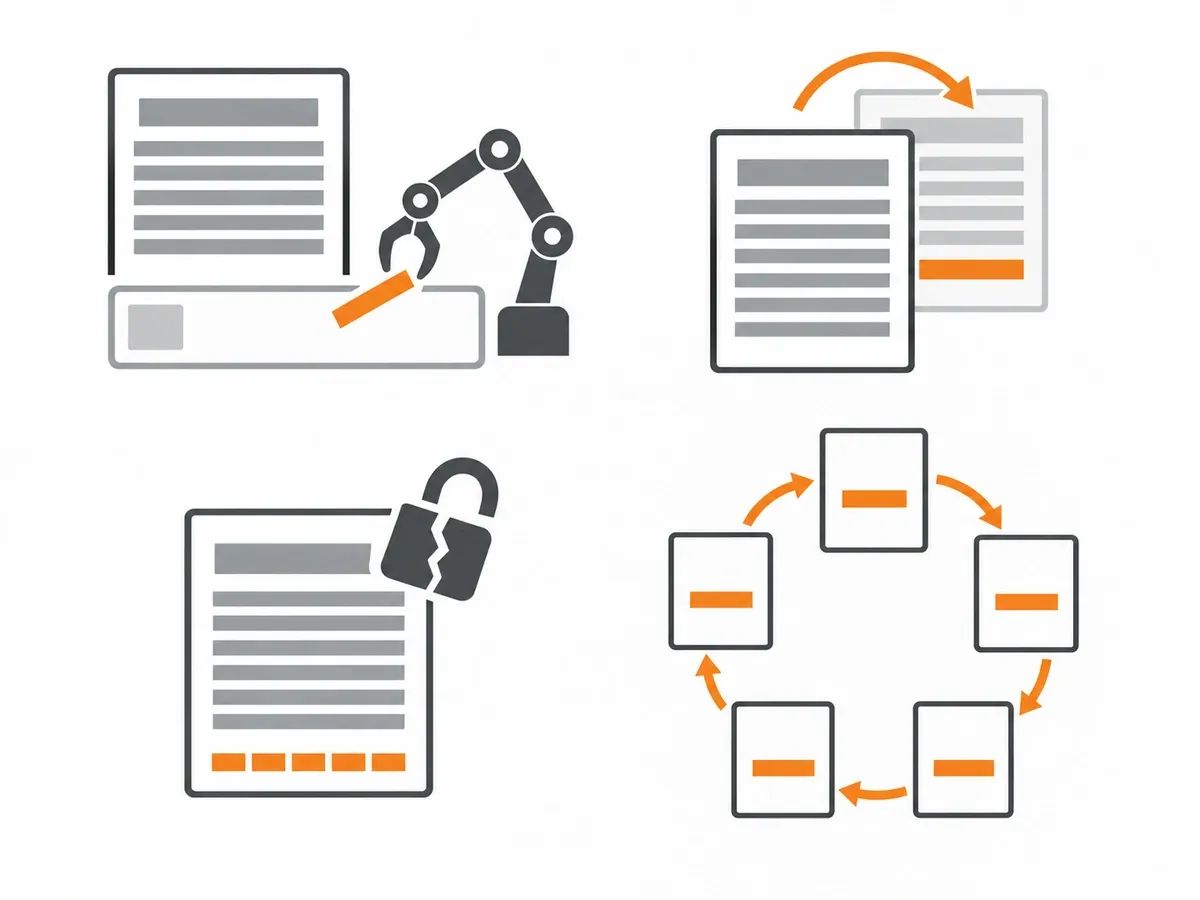
Automated software posts links in comment sections, forum profiles and user bios, anywhere a form is open to strangers. Wikipedia describes the pattern as "drive-by spamming where automated software creates nonsense posts with links that are usually irrelevant and unwanted." The site owner did not place these links and may not know they are there. On your own site this is the spam you delete; in your backlink report it is the same software pointing at you from other people's sites.
Scraper and auto-generated pages
Some pages are assembled by copying other sites' content, and the copy carries the original links along with it. These are known as scraper sites. Some templates add links of their own on top. The result is a page nobody wrote, on a domain nobody reads, linking to whatever the copied text happened to mention.
Links injected into hacked sites
A compromised site can have links hidden in its pages without the owner's knowledge. The injected hidden links sit in footers, old posts or templates, and they point at sites that never asked for them. The site carrying them can be an ordinary small business or blog that has no idea its pages have been changed.
Groups of sites with no readers
Some domains exist only to hold links: a link farm is a group of sites with no readers, built so the links exist rather than the content.
A weak link is not a spam link. A small site, a new site or a foreign-language site that links to you is an ordinary part of a backlink profile. The difference is choice: someone chose to put the link on that page, or nobody did. Judging links by how they look rather than how they got there catches ordinary sites in the net.
How common link spam is
The dated data on link spam is about hacked sites that carry injected links, so that is what this section reports.
GoDaddy's annual cybersecurity report, published on 16 June 2026 and covering data from 2025, puts SEO spam second among its threat categories: "SEO spam accounted for 328,490 website detections across the internet in 2025, making it the second-most prevalent threat category at 35.2% of all signature detections."
The sample behind that figure: "This analysis reflects 932,641 threat detections across 834,661 infected websites throughout 2025". The category itself holds "doorway pages in Japanese or other languages, hidden gambling links, pharmaceutical spam keywords, and redirects that hijack search engine traffic". The report also notes that compromised sites frequently contain more than one malware type at once, so its category totals add up to more than the number of infected sites.
Read those numbers as what they are: detections by GoDaddy's public SiteCheck scanner on infected sites, not a count of backlinks pointing at ordinary sites.
Sucuri's report on 2024, published on 23 July 2025, gives an earlier count from its own scans: "These attacks were rampant in 2024, affecting 422,741 websites in our analysis." Sucuri's figure comes from its own scanner's detections on compromised sites, the same kind of measure as GoDaddy's.
Every one of those infected pages can carry links to sites that never asked for them, which is one place the odd domains in a backlink report can come from.
Negative SEO: what happened when spam links hit two sites
A wave of spam links aimed at a site is what people mean by negative SEO. Two site owners have published what a sudden wave of spam links looked like on their own domains, with their own numbers. Each account is one site.
Christian Ott's account, published on 7 June 2026, describes a wave that hit his own domain. Ott, the founder of SEO-Kreativ, wrote: "My domain picked up over 60 new spam backlinks in six days, all nofollow, all following the same pattern - 35 in a single day at the peak."
His baseline before the wave: "For months my backlink growth sat at roughly one new domain per day." His reading of where the links came from was that a bot had added his domain to a list and was scattering it automatically across hacked and auto-generated pages, with no sign of a targeted attack.
His Search Console data for the same days: "Before the wave my clicks averaged around 37 per day, position about 9.8. During the wave: around 46 clicks, position 9.3."
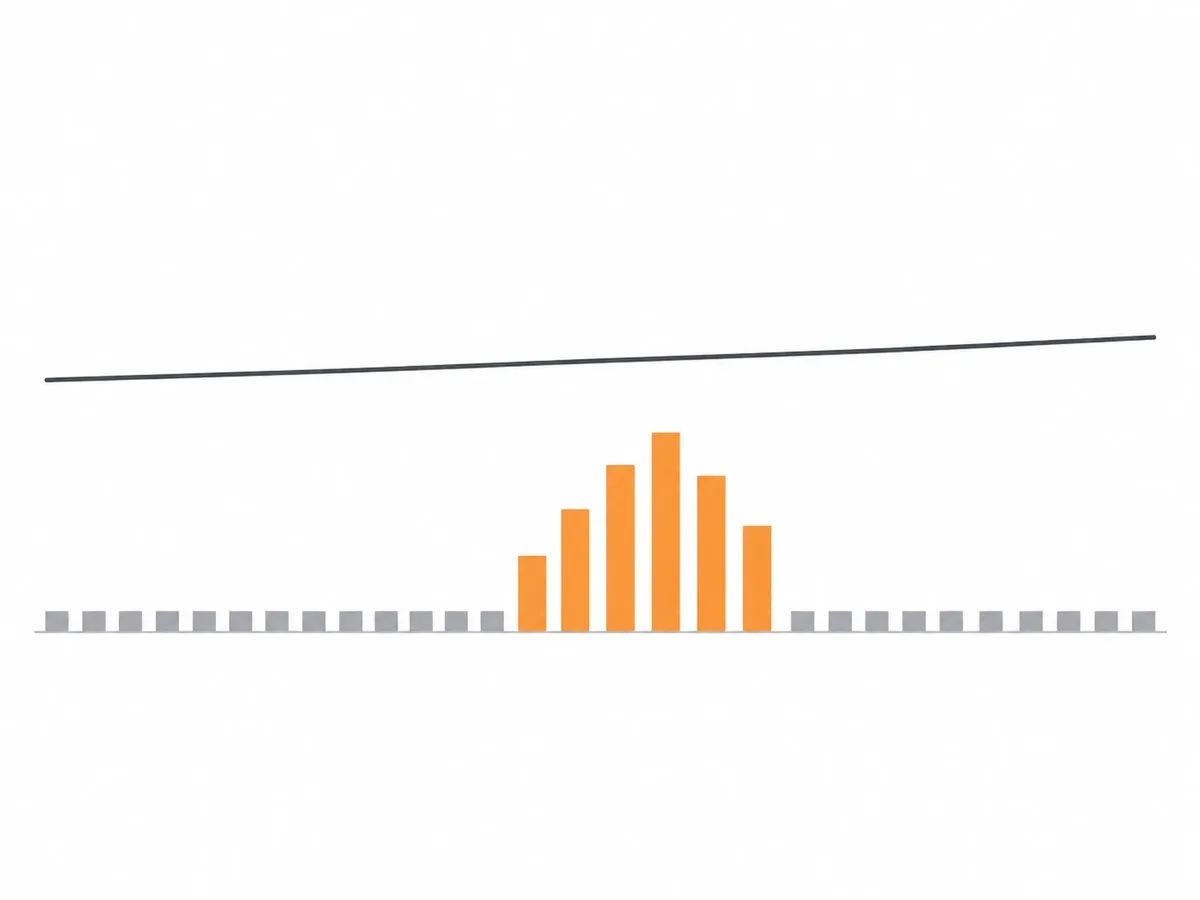
Ott is careful about what this proves: "Is that proof that spam links never hurt? No, that would be an overreach. It is proof that this wave - nofollow, low DR, off-topic - did no measurable damage."
His response was three checks in order: "Check manual actions." Then "Cross-check performance." Then "Classify the character of the links." He ran the checks, classified the wave as automated junk, and left the links alone.
Victoria Kurichenko, an SEO content strategist, described a similar wave in her newsletter of 31 October 2025. From 23 October, her site attracted 187 backlinks from 96 domains, all nofollow and all pointing at her top-ranking posts. She found the wave with Semrush's Backlink Audit tool.
Both accounts describe a sudden wave of new domains, all nofollow. Two sites are two sites; the useful part is the order of their checks, and the audit below follows the same order.
How to spot spam links in a backlink report
A backlink report from any tool shows referring domains, anchors and target pages. The signs below are the ones worth sorting by. No single sign proves anything on its own; the pattern does.
They arrive in a burst
Junk links can arrive in a burst: many new referring domains in a few days, against a slow baseline. Ott's wave peaked at 35 in a single day, after months of roughly one new domain per day. A sudden cluster of new domains is the first thing to check.
The linking page has no subject
The page carrying the link has thin or copied text and no clear topic. Its outbound links point at unrelated sites: a casino, a locksmith and a software tool in the same article. Read two or three paragraphs; if you cannot say what the page is about, neither could its author.
The domain has nothing to do with your site
The linking domain covers topics with no connection to yours. One odd domain means little, because off-topic mentions happen; a run of them means more. Comparing your backlinks with your competitors' backlinks shows whether the same junk domains appear across your niche or only against you.
The anchor text repeats, and you did not choose it
The same anchor text phrase appears across many unrelated domains, and it is not a phrase you ever used for the page. Chosen anchors vary: brand names, page titles, plain URLs. A repeated phrase you did not choose is the footprint of a single program.
The link sits in a comment, profile or footer strip
Open the page and find the link. If it sits in a comment, a forum profile, a user bio or a strip of links at the foot of the page, software most likely dropped it there. An editor places a link where a reader will use it.
The domain changed subject overnight
Some domains held one kind of site and now hold an unrelated one: a former club site now running casino pages, for example. A subject change with no continuity suggests the domain was picked up and reused to hold links.
What is not proof by itself
Some clues look damning in a spreadsheet and mean nothing on their own:
- A long domain name
- Numerals in a domain
- An unfamiliar top-level domain
- A foreign-language page
- A site with few pages
- A high score in a tool
Several signs together on a page you have opened and read are what count.
How to check your backlinks for spam links
Checking your backlinks for spam backlinks takes one report from Google Search Console, one export from a third-party tool, and someone willing to read pages.
- Start with Google Search Console. Open the Links report, which lists top linking sites, top linked pages and link text. Its help page describes the report this way: "It shows a sample of internal and external links to help you understand your site’s overall link profile." Tables are limited to 1,000 rows. Open the Manual actions report while you are there: "If your site has no manual actions, you'll see a green check mark and an appropriate message."
- Add a backlink export from one third-party tool. Search Console shows a sample, so one export from a backlink tool gives you a longer list of referring domains, anchors and first-seen dates. Ahrefs, Moz, Semrush, Majestic, SEO SpyGlass and Raven Tools all report backlinks, and any one of them is enough for this job. The point is a longer list to sort, not a perfect one.
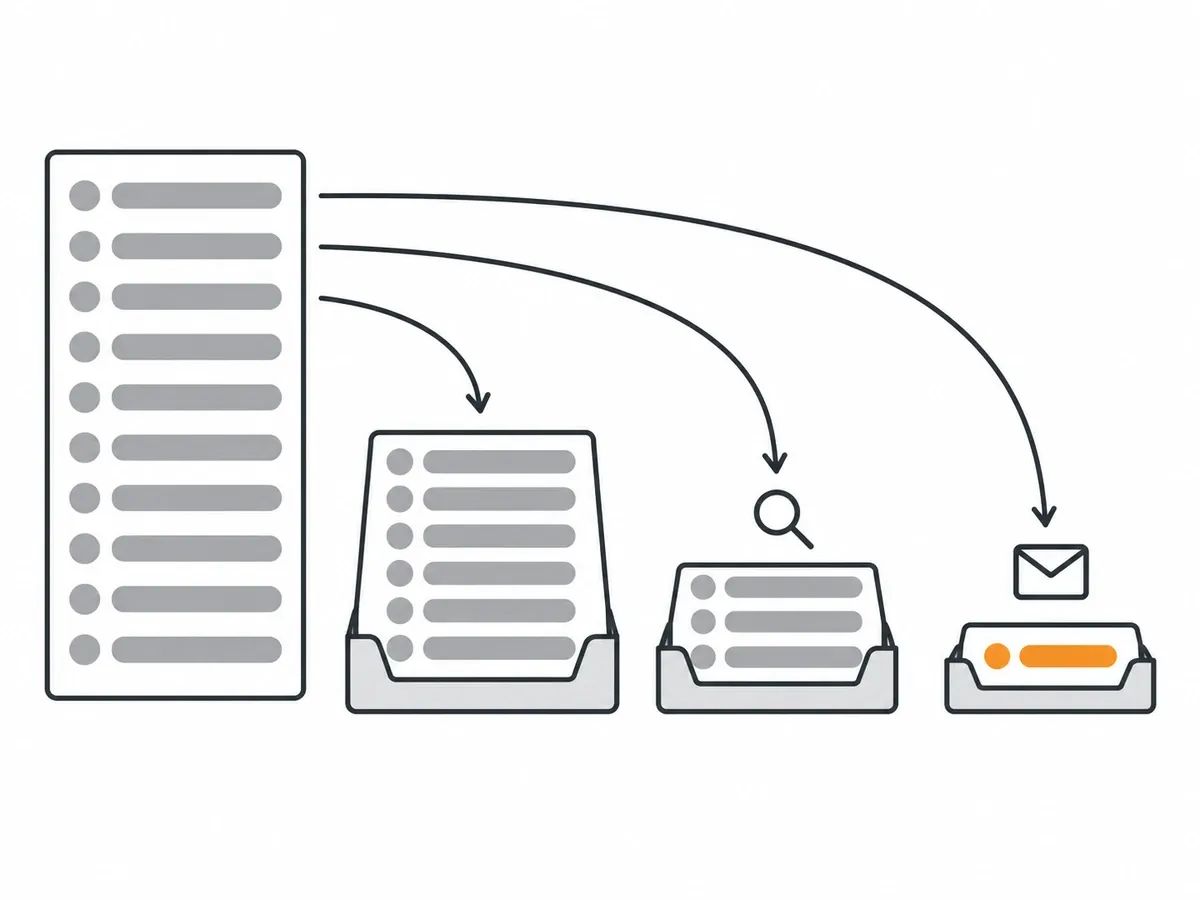
- Sort the list into three groups. Ignore: weak but ordinary links. Review: links that show several of the signs above. Remove: links on pages you control, or on sites whose owner you can reach. Sorting first stops every row looking equally alarming.
- Open the page, not only the domain row. A domain row in a spreadsheet tells you nothing about context. Open the linking page, read it, and find the link. The same domain can hold a genuine mention on one page and injected junk on another.
- Compare dates with performance. Note the dates the links appeared and set them against your clicks and average positions in Google Search Console for the same days. Ott's wave is the model: his clicks and position held steady while the junk arrived. Steady performance during a burst is a reason to watch, not to act.
- Keep a log. Record the domain, the linking URL, your target page, the anchor, the date first seen, any contact you made, and the outcome. A log stops the same links being argued over in the next audit, and it is the record you show a colleague or a client.
Our link audit guide walks through the fuller version of this process, and managing your backlinks over time covers the monitoring side. Whatever the tools show, have someone read the pages before any file is uploaded anywhere.
What spam score tools measure
Several tools give a site or a link a score. Each score is the vendor's own model, and the vendors say so themselves.
Moz's Spam Score comes from a model that looks at 27 features of a site and reports a percentage (Moz's help page, dated 9 April 2025). The features are listed on the page and include the number of pages on the site, the top-level domain, the length of the domain name and numerals in it. Moz numbers the features but says the numbering has no bearing on the importance of each signal, and the score updates quarterly. The bands: "A score of 1%-30% is considered a Low Spam Score." A score of 31% to 60% sits in the middle band. "A score of 61%-100% is considered a High Spam Score."
Moz's own caveats are worth quoting in full: "A high Spam Score for your site, or a site you're looking at, doesn't mean this site is necessarily spammy." And: "It’s important to remember that Spam Score is NOT a measurement of the spamminess of links pointing to your site." We have a fuller walkthrough of the website spam score, and a separate guide to Moz DA, the authority metric from the same vendor.
Semrush's Backlink Audit tool uses different wording (its knowledge base page, read 3 October 2026): "Toxicity Score is based on a scale of 0 to 100, with 0 being good and 100 being very toxic." The score rests on a set of signals: "There are currently 45+ different Toxic Markers that Semrush uses in determining the Toxicity Score for a link." The same page groups scores into three categories. Where Moz's percentage describes a site, Semrush's score is attached to a link.
Majestic publishes a quality score rather than a spam score: "Trust Flow, a trademark of Majestic, is a score based on quality, on a scale between 0-100." Majestic says the score starts from trusted seed sites it picked through a manual review of the web.
Each number is one vendor's model, built for sorting a long list. A score tells you which pages to open first. It does not tell you what to do with them.
What to do about spam links
There are three responses: leave them alone, remove what you can reach, and disavow what is left.
Leave them alone
The default for isolated junk is to leave it alone. If the Manual actions report shows the green check mark and your clicks and positions are steady, a run of odd domains is a thing to log, not a thing to fix. This is what Ott did with the wave he described: he checked, he classified, and he changed nothing. If the pattern grows, the evidence is already in one place.
Remove what you can reach
If the link sits on a page you control, edit the page. If it sits on a site with a reachable owner, send a short, polite email naming the linking URL, your target page and the anchor. If the link was injected into a hacked page, the owner may clean it once told. Some owners will not answer, and some pages are abandoned. Log each contact and its outcome, then move on.
Use the disavow tool for what is left
Google Search Console's disavow tool exists for the junk you could not get removed. The tool's own help page says most sites will not need it, so it comes after reading pages and trying owners, not before.
The workflow, from the same help page:
- List the junk you could not get removed in a plain text file. The rule: "Specify one URL or domain to disavow per line."
- Use the domain prefix where the whole domain is junk: "To disavow a domain (or subdomain) prefix it with "domain:", for example: domain:example.com"
- Keep to one list per property: "You can post one disavow list for each property that you own." Note that "The disavow links tool does not support Domain properties."
- Remember that a new upload wipes the old one: "Uploading a new list for a property will replace any existing list for that property."
- Expect the links to stay visible afterwards: "Disavowed links will continue to be shown in the Links report."
The file can be up to 100,000 lines and 2MB, and lines starting with a # mark are treated as comments, so you can label each entry with why it is there. After a successful upload, the help page says it can take a few weeks for the list to be incorporated.
How a link you chose differs from a spam link
A spam link arrives without anyone choosing the page. A placed link starts with the page. When we vet a publication we look at indexed pages, organic traffic and its trend, Moz DA against Ahrefs DR, and referring domains, weighed together. We turn away PBN and link farm footprints, manipulated traffic or metrics, expired-domain abuse, and thin, spun or low-quality content.
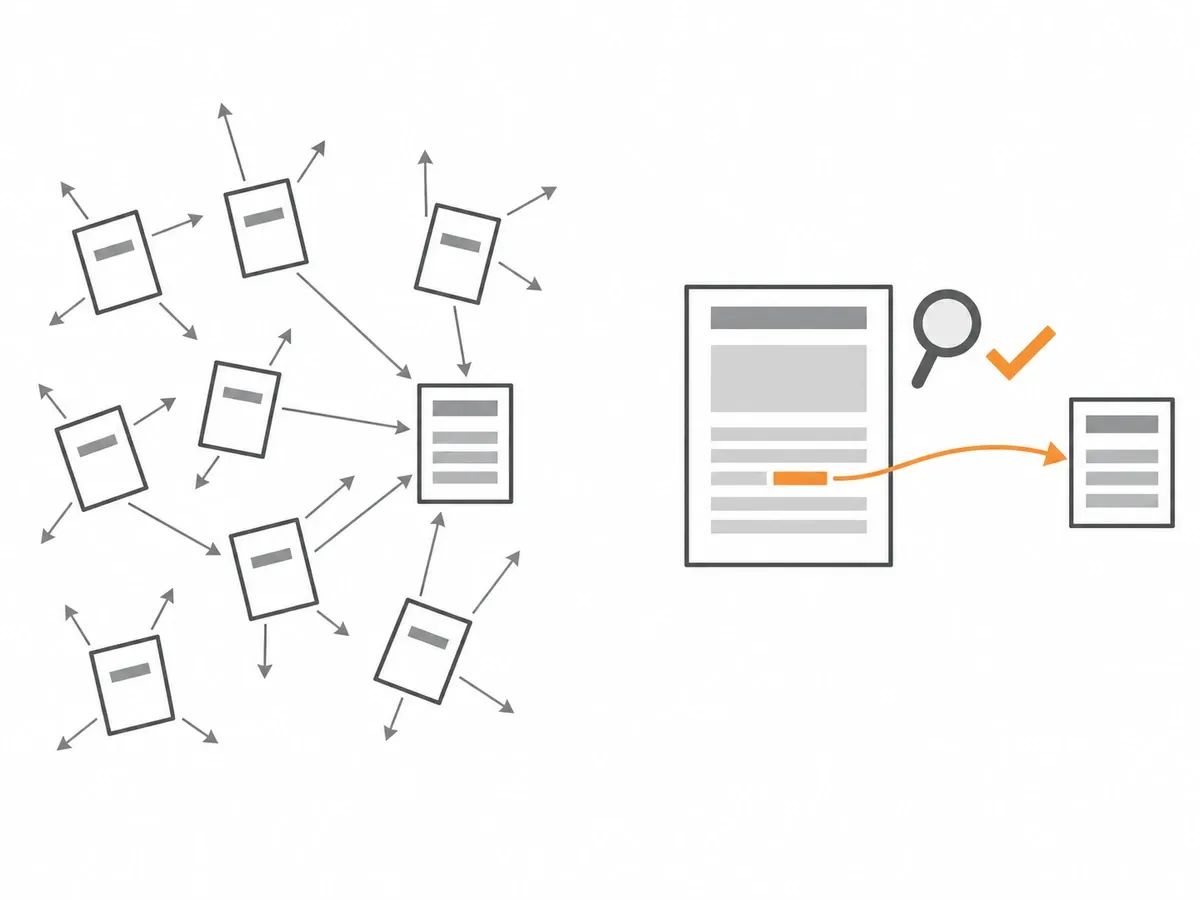
After publication on a Rhino Rank Curated Links order, we check the page is live, the link is in the body copy, the anchor and target URL match the order and the page is indexable. Only then is the URL reported to the dashboard, as part of the quality assurance every order goes through.
In our view, a metric that looks good on a site with no readers tells us nothing, which is why we read traffic beside it.
Frequently asked questions
What are spam links?
Spam links are junk backlinks that point at your site without anyone choosing to put them there. They come from automated comment and profile spam, pages that copy other sites, links injected into hacked sites, and groups of sites built only to hold links. A weak link from a small or new site is not a spam link, because someone chose to place it.
What is link spam?
Link spam is the practice of scattering junk links that nobody chose: automated posting in comments and profiles, copied pages that carry links, and injected links on compromised sites. The spam links in a backlink report are the output; link spam is the activity that produced them.
How do I find spam links?
Start with the Links report in Google Search Console, then add one export from a backlink tool. Sort by referring domain and anchor text, look for bursts of new domains and repeated anchors, and open the linking pages before judging any of them. Judge the page, not the domain row.
How do I remove spam links?
Remove what you can reach: edit pages you control, and email site owners with the linking URL, your target page and the anchor. For the junk you cannot get removed, Google Search Console's disavow tool takes a plain text list of URLs or domains.
Should I disavow every spam link?
No. The disavow tool's own help page says most sites will not need it. It exists for junk you could not get removed, after you have read the pages and tried the owners.
Can negative SEO hurt my site?
One documented case saw over 60 spam backlinks arrive in six days on a single site in June 2026, with clicks and average position steady throughout. That is one site, and its owner says it is not proof for every case.
Are foreign-language links spam?
Not by themselves. A foreign-language page that links to you is an ordinary part of a backlink profile. Judge it by the same signs as any other link: the page's subject, its outbound links and the anchor text.
What should I check first if rankings fall?
Check the Manual actions report in Google Search Console first. Then compare the dates in your performance data with the dates the links appeared, before deciding anything. A drop that started before the links arrived was not caused by them.
related Blog Posts



Join 7,000+ Clients Growing with Rhino Rank
Sign Up


Stay ahead of the SEO curve
Get the latest link building strategies, SEO tips and industry insights delivered straight to your inbox.