
 Back to all posts

Internal link building is the work of adding and maintaining the links between the pages of one site: in menus, in body copy and in footers. An internal link building strategy decides which pages link to which, what the anchor text says, and how the links are checked afterwards.
This guide works through what Google's documentation says internal links do, where links sit on a page, anchor text and how many links a page needs. It then sets out a way to plan the structure, what each tool's report shows (including the Ahrefs internal link opportunities report), the checks to run before publishing, how to audit the links afterwards, and a short FAQ.
What internal link building is
An internal link is a link from one page of a site to another page of the same site. The visitor stays on the same domain; only the page changes. A link that points to a page on another site is an external link, and this guide is about the links that stay inside one site.
Google's SEO Starter Guide (updated 10 December 2025; read on 4 October 2026) defines the visible part of a link: "Link text (also known as anchor text) is the text part of a link that you can see."
Google Search Console's help page for the Links report describes the entries in its Internal links table: "These are links within your own site to your own site:" It is the plainest definition there is.
Why internal links matter: discovery, structure and what backlinks bring
For SEO, internal links do three documented jobs. They help Google find pages, they describe the site's structure, and they pass on some of what links from other sites bring.
Discovery. Google's SEO Starter Guide (read on 4 October 2026) states: "Google primarily finds pages through links from other pages it already crawled." Google Search Central's crawlable links page (updated 10 December 2025) sets the floor: "Every page you care about should have a link from at least one other page on your site." A page with no link pointing at it from another page of the site is an orphan, and orphans come up again in the audit section.
Structure. John Mueller of Google, answering a submitted question in the SEO office-hours of 11 March 2022, said: "But links, from our point of view, just help us to better understand a site's structure."
What backlinks bring. Later in the same office-hours, answering another question, Mueller said: "through those internal links, across the website, we do forward some of the signals." Links from other sites arrive at particular pages, and the internal links on those pages are how some of what arrives reaches the rest of the site. How a page's score is divided across the links on it is set out in our guide to link equity.
The counted reading comes from Cyrus Shepard of Zyppy (page updated 23 February 2026): "For this study, we analyzed 23 million internal links across 1,800 websites, totaling approximately 520,000 individual URLs." The finding: "URLs with 0-4 internal links received an average of 2 clicks from Google Search, while URLs with 40-44 internal links received 4 times that many." Just above that range, the page adds, the pattern reverses. The study states its own limit: "This is mostly a correlation study. Remember that correlation isn't causation (though it can be a very strong hint!)" That is incoming internal links to one URL set against clicks from Google Search, on Zyppy's sample of 1,800 websites, and a correlation is not a cause.
Internal links also appear among the fixes covered in our write-up of SEO quick wins that were tested.
Where internal links sit: menus, body copy and footers
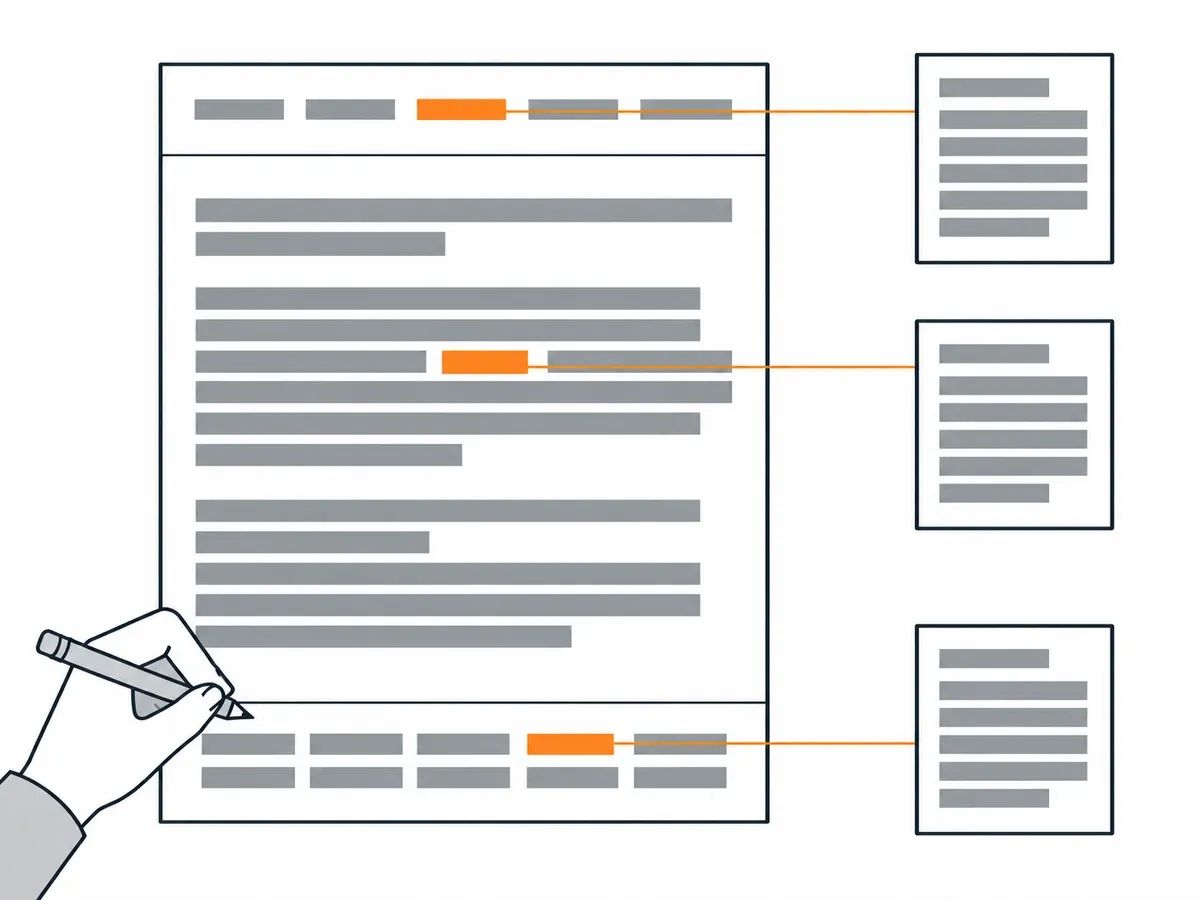
An internal link sits in one of three places on a page. The first is the menu and other navigation: the main menu, a sidebar, header links and buttons. The second is the body copy, where a link inside a paragraph points the reader to a related page. The third is the footer, which holds links such as contact information, privacy policies and the sitemap. A footer works best when it is short and grouped, so the links there stay easy to scan.
Asked in the SEO office-hours of 11 March 2022 whether links in a header or footer are treated differently from links in the body, John Mueller answered: "We don't really differentiate there."
Screaming Frog's SEO Spider user guide (read on 4 October 2026) reports position as a column in a crawl: "Link Position – Where is the link located in the code (Head, Nav, Footer etc.), can be customised with the Custom Link Position configuration."
LinkStorm, an internal-linking tool, published LinkStorm's study of its customers' sites on 12 November 2025: "2.5 million contextual internal links drawn directly from the main content across 1,700 real websites." On where those links sit: "71 % of contextual links appear within the first two levels of the site hierarchy." That describes how deep in the site hierarchy body-copy links sit on those 1,700 sites. It is a description of that sample, not a rule for your site.
Anchor text and how many links a page needs
Anchor text first. Google's crawlable links page (read on 4 October 2026) gives a test you can apply to every anchor you write: "Tip: Try reading only the anchor text (out of context) and check if it's specific enough to make sense by itself." LinkStorm's study counted the generic anchors in its sample: "~15 % are generic (“read more”, “click here”)". And Zyppy's study found: "Regardless, URLs with a larger number of anchor text variations from internal links are highly correlated with more Google search traffic." That is a correlation on Zyppy's sample, not a rule. The method for writing anchors is in our anchor text guide.
How many links a page needs. The same Google page answers the question directly: "There's no magical ideal number of links a given page should contain." It adds: "However, if you think it's too much, then it probably is." John Mueller gave the same answer on 11 March 2022: "I don't think there is an optimal number. The part that I would kind of watch out for is that when you crawl the website that you can still recognize there's a structure."
The measured figure comes from the Web Almanac 2025 SEO chapter, published 15 January 2026: "at the median, desktop pages contained 43 links to the same site and mobile pages 39, while at the 90th percentile those numbers jumped to 174 and 161." That counts every link to the same site on a page, and the chapter says the high end might reflect mega-menus and dense footers. It is what pages have, not a target.
One practical step stands whatever the count: when a new page is published, add links to it from older pages on the same subject.
How to plan an internal linking structure
Building internal links for SEO starts with a plan in four steps.
First, list the pages that hold the links from other sites. Search Console's Top linked pages table, under External links, shows them. Second, list the pages each of those should link to: the pages a reader would want next, and the pages you want Google to reach. Third, write the anchor for each link so it passes the read-it-alone tip from the section above. Fourth, add a link to every new page, and to every orphan the audit finds, from at least one existing page, so no page is left unreachable. The list changes as new links arrive, so the plan is worth revisiting after any link building campaign.
Distance from the home page is the documented part of this planning. Google's page on crawling myths (updated 18 December 2025; read on 4 October 2026) states: "Your site's home page is often the most important page on your site, and so pages linked directly to the home page may be seen as more important, and therefore crawled more often." The page rates that idea as partly true. Mueller described the same distance from Google's side on 11 March 2022: "It's really from the home page or from the primary page, how quickly can we reach that specific page."
The counted case for planning comes from Nadia Mohamed's crawl of 15 SaaS blogs, published on 5 September 2026. Mohamed, an independent technical SEO consultant, found: "On the 15 SaaS blogs I crawled, 38% of posts had no in-content internal link pointing at them — 3,979 orphans out of 10,426 posts." Her definition: "A post is an orphan if zero other posts on the same blog link to it from within their body copy." And the relationship she measured: "Correlation between a blog’s median in-content outbound links per post and its orphan rate was −0.84." Her definition counts body-copy links only, which is stricter than the tools' definitions, and the figures are those 15 blogs, not every site.
Grouping pages by subject before linking them is covered in our guide to topical maps in SEO.
What Search Console, Screaming Frog and Semrush report
Three tools report on internal links, and each measures something different. Search Console reports a sample; the two crawlers measure the site for themselves.
Google Search Console's Links report has an Internal links table that lists pages by how many internal links point to them. Its help page (read on 4 October 2026) says the report shows a sample of internal and external links, not every link on the site.
Screaming Frog SEO Spider crawls a site from a start page and follows the links it finds. Its user guide defines the count: "‘Internal inlinks’ are links in anchor elements pointing to a given URL from the same subdomain that is being crawled." It defines the depth column: "Crawl Depth – Depth of the page from the start page (number of ‘clicks’ away from the start page). Please note, redirects are counted as a level currently in our page depth calculations." And it defines its own score: "Link Score – A metric between 0-100, which calculates the relative value of a page based upon its internal links similar to Google’s own PageRank." Link Score is Screaming Frog's metric, not Google's, and the crawl's bulk exports save as CSV, Excel or Sheets files. Sorted by crawl depth, the export shows which pages sit furthest from the start page.
Semrush's Site Audit has its own measure: "Internal Link Rank. How accessible a page is, based on its incoming internal links and crawl depth. Higher ILR means more internal links and lower crawl depth."
What each tool costs is covered in our guide to SEO tools for small businesses.
How to use the Ahrefs internal link opportunities report
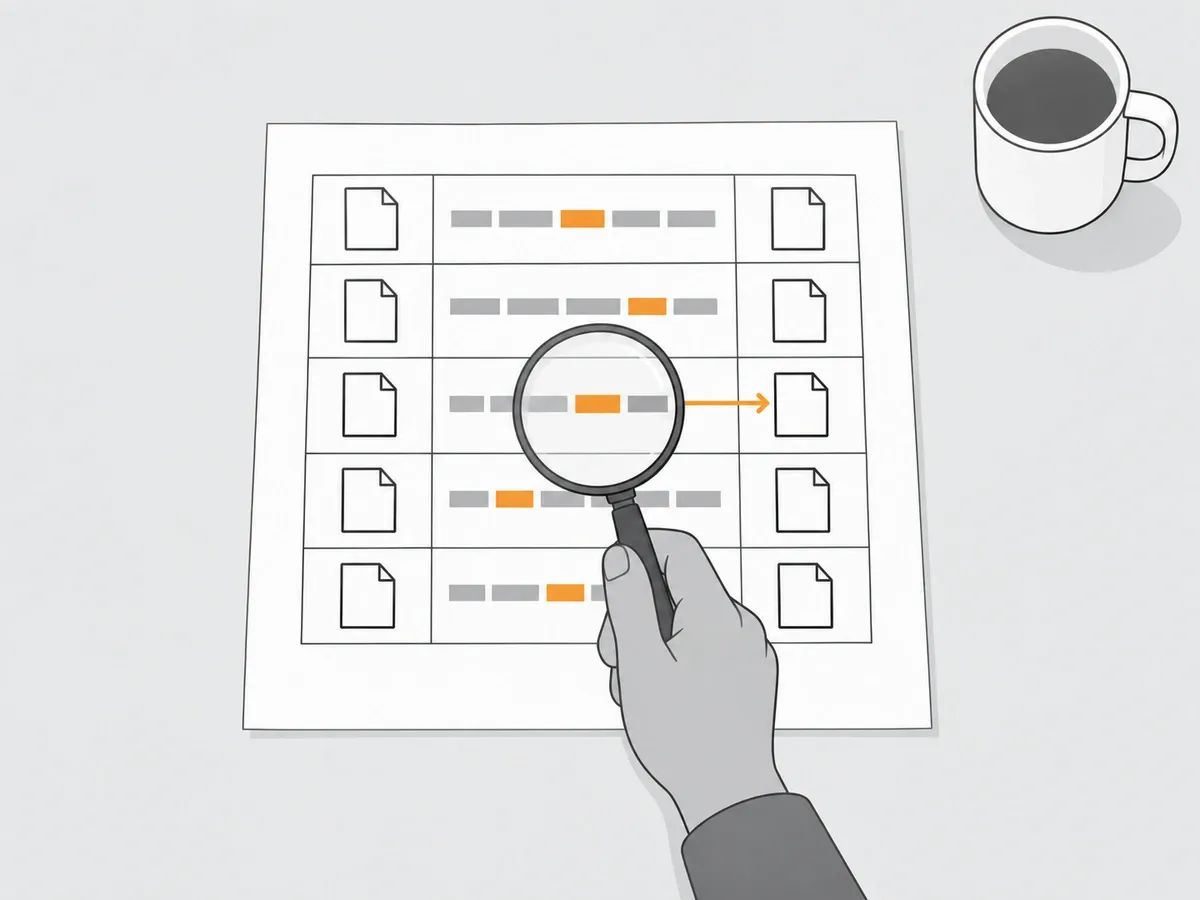
Ahrefs' help centre (read on 4 October 2026) names it the "Internal link opportunities report", and it sits inside Site Audit. Ahrefs' Internal backlinks report in Site Explorer is a different report: it shows the internal links a domain, URL or subsection already has. What the report does: "This report takes the top 10 keywords (by traffic) for each crawled page, then looks for mentions of those keywords on other crawled pages." Its stated limits: "Total number of link opportunities are capped at 10,000 results across all URLs for the whole website." And: "The keyword needs to be exactly matched in the text."
Ahrefs Academy describes the strength column: "Page Rating (PR) shows the strength of the source page's overall internal backlink profile on a 100-point scale."
Each row is a source page, a keyword found in its text and a target page that ranks for that keyword. The strength column is Page Rating, not Domain Rating. Read each suggestion in its sentence before adding the link, because an exact keyword match is not the same as a sentence where the link helps a reader. If a sentence reads oddly with the link added, skip the row.
To use the report, run a Site Audit crawl, open the report, then set the search mode to Target page and paste in the URL of the page being worked on.
Checks before you publish: broken links, redirects and nofollow
Run these checks before a page goes live, and re-run them whenever a page is edited or moved.
Broken links and redirects. Screaming Frog SEO Spider names the two issues "Internal Client Error (4XX)" and "Internal Redirect Chain". The first is an internal link that leads to a page returning a client error; the second is an internal link that passes through a chain of redirects. The codes themselves are covered in our guide to what each HTTP status code does to a live link.
Temporary redirects. Google's redirects page (updated 14 April 2026; read on 4 October 2026) says that Googlebot follows a temporary redirect, but the indexing pipeline does not take it as a sign that the target should be the canonical URL. Point each internal link at the final URL.
Nofollow on your own pages. To keep Google from crawling a page of your own, Google's documentation on the nofollow value (updated 10 December 2025) points to the robots.txt disallow rule for links within your own site. The attribute values themselves are covered in our guide to dofollow vs nofollow links.
Anchors. Apply the read-it-alone tip from the anchor text section to every link before publishing.
Dead pages and redirect chains are on our own checklist for the links we place. On a Rhino Rank Curated Link the buyer supplies the anchor text and the target URL. Before a placement goes out we check the HTTP status code the target URL returns, so no placement points at a dead page or into a redirect chain. After publication we check that the page is live, the link sits in the body copy, the anchor and target URL match the order and the page is indexable, and only then is the URL reported to the dashboard. Every delivered link carries 12-month replacement cover.
One last check rests on Google's sentence quoted earlier: a page that a link from another site points at should also be linked from at least one other page of its own site.
How to audit your internal links
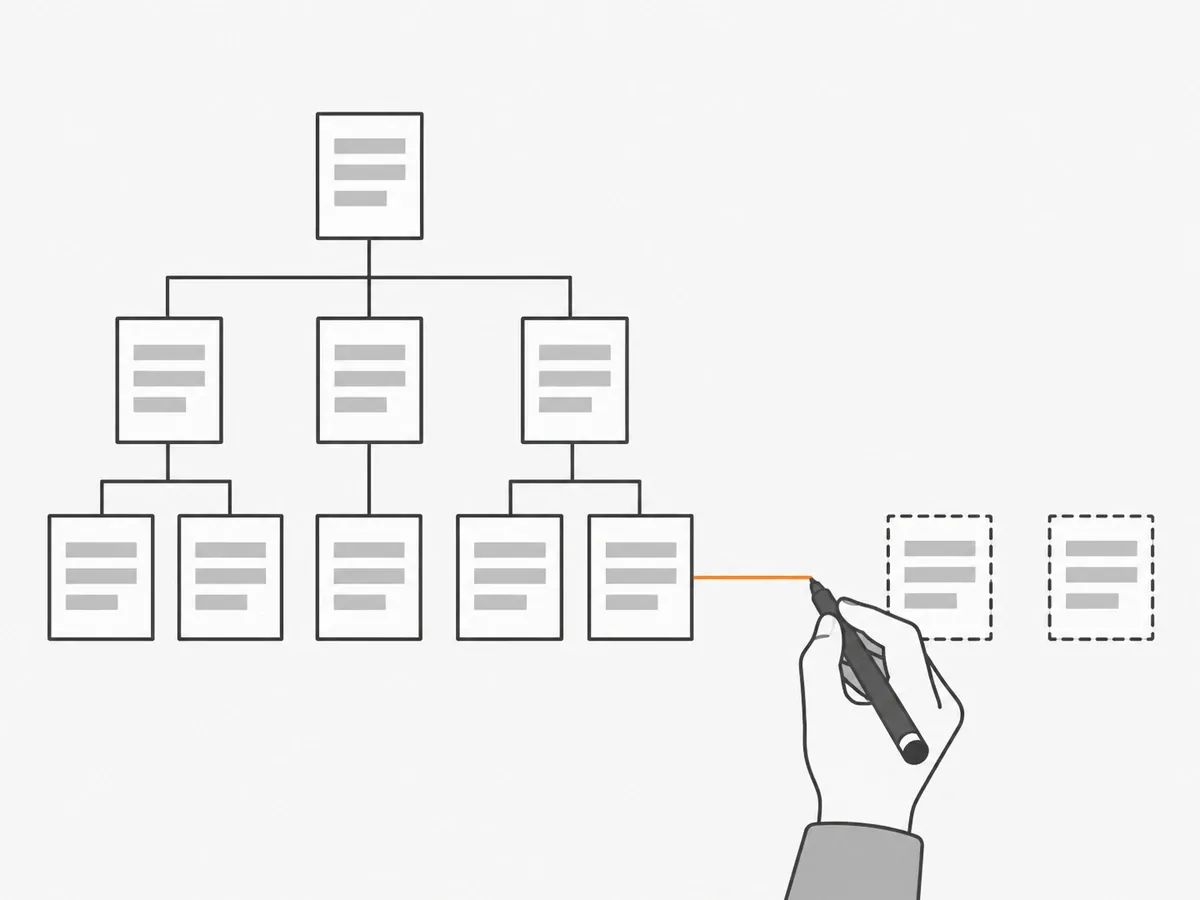
An audit of internal links has three steps: find the orphans, fix the redirected and broken links, and read the counts.
Orphan pages. Screaming Frog's guide (read on 4 October 2026) defines them: "An orphan page is a page that cannot be found by crawling the internal links of a website from the start page." Its report lists: "Orphan URLs – URLs that are only in an XML Sitemap, but were not discovered during the crawl." Ahrefs' Site Audit names the issue "Orphan page", and its help article says of the pages it lists: "These pages were either specified as seeds for the crawl or were found in the sitemap file." Both tools find orphans by comparing the crawl with URLs from another source, such as the XML sitemap, so that source has to be supplied for the report to work. The fix is a link to each orphan from a page on the same subject. Pages Google has not indexed are covered in our guide to Google indexing issues.
Redirected and broken internal links. The crawl that found them in the checks section will find them again here. Fix the link itself, not just the redirect.
Counts. Search Console's Internal links table shows which pages have the highest and lowest counts in its sample. A page that matters and sits near the bottom of that table is a page to plan links to.
Run the audit again after any large change to the site, such as a redesign or a migration. A review of the links from other sites is a different job, covered in our link audit guide.
Frequently asked questions
What is internal link building?
Internal link building is adding and maintaining the links between the pages of the same site, in menus, body copy and footers. It means deciding which pages link to which, and what the anchor text on each link says.
How many internal links should a page have?
Google's documentation says there is no ideal number, and John Mueller said in March 2022 that he does not think there is an optimal number. Mueller's test is whether the site's structure is still recognisable when the site is crawled. Every page that matters needs a link from at least one other page.
What is the Ahrefs internal link opportunities report?
The Ahrefs internal link opportunities report is a report inside Ahrefs Site Audit that takes the top keywords each crawled page gets traffic for and looks for exact mentions of them on other crawled pages. Each row is a source page, a keyword in context and a target page. The report is capped across the whole site and shows Ahrefs' Page Rating for the source page.
What is an orphan page?
An orphan page is a page that cannot be found by following internal links from the start page. Crawlers find orphans by comparing a crawl of the site with a list of its URLs from another source, such as the sitemap. The fix is a link to the orphan from a page on the same subject.
Do internal links pass on what backlinks bring?
John Mueller of Google said in March 2022 that Google forwards some of what it reads across a site through internal links. The pages that hold links from other sites are the ones whose internal links are worth planning first.
related Blog Posts


Join 7,000+ Clients Growing with Rhino Rank
Sign Up


Stay ahead of the SEO curve
Get the latest link building strategies, SEO tips and industry insights delivered straight to your inbox.