
 Back to all posts


Tiered link building is building links in layers. Tier 1 links point at your site. Tier 2 links point at the pages that carry your tier 1 links. Tier 3 links point at the tier 2 pages.
This page explains the model from the top down: what each tier is, how weight passes from one page to the next, what a second tier does for a tier 1 placement, why the first check is whether the tier 1 page is indexed, what makes a tier 1 placement worth supporting, what to ask a tiered link building service, and how to review tiered links you already have.
What tiered link building is
Tiered link building names each link by what it points at, not by what kind of link it is. The three tiers stack like this:
Tier | Points at | Typical pages |
|---|---|---|
Tier 1 | Your site | Articles on other publications, for example a guest post or a link placed in an existing article |
Tier 2 | The tier 1 pages | Pages that link to those articles |
Tier 3 | The tier 2 pages | Whatever links to those |
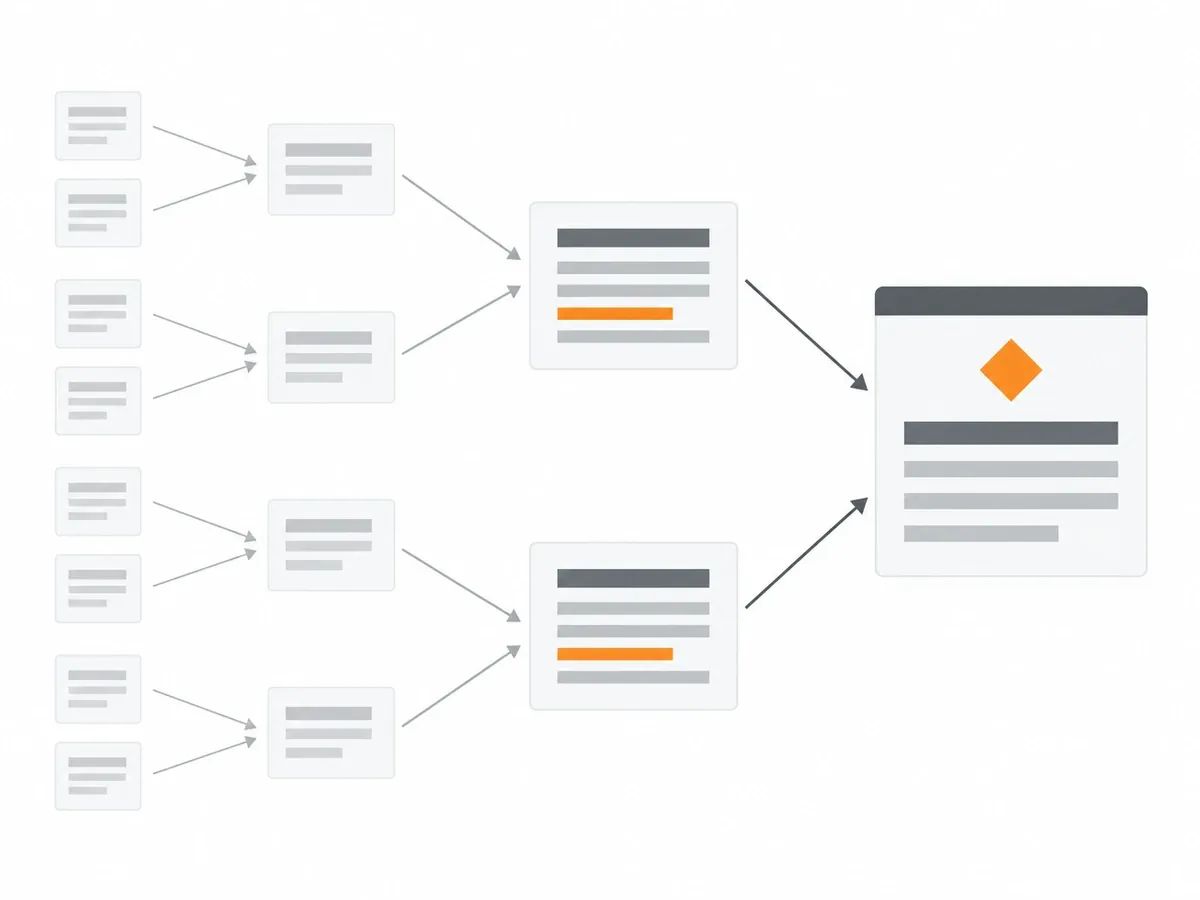
A tier 1 link, or tier 1 backlink, is the only layer that touches your site. It might be a guest post written for another publication, or a link placed in an existing article, often called a niche edit. Because tier 1 links point straight at your pages, everything else in a tiered structure exists to support them.
Tier 2 link building is the practice of linking to those tier 1 pages rather than to your own site. A tier 2 link might be a newsletter that cites the article carrying your link, or a resource page that references it. One step further out, tier 3 backlinks point at the tier 2 pages.
What the lower tiers are made of is described by David Hahn, Managing Director of GetMentioned. Writing on 28 August 2026, he reports what the guides say: "Guides name profile pages, forum entries, comments, directories and self-built blogs."
The tier system is separate from the types of backlinks themselves. A guest post, a niche edit, a directory listing or a forum profile can each sit at any tier. The tier only describes the link's position in the chain: what it points at, and how many steps it sits from your site.
How weight passes through linking pages
In the model behind tiered link building, a page's weight comes from the pages that point to it, and that weight thins with every step away from your site. The idea is older than the name.
Sergey Brin and Lawrence Page's 1998 paper describing the Google prototype, presented at the Seventh International Web Conference in Brisbane, 14 to 18 April 1998, explains where a page's weight comes from: "a page can have a high PageRank if there are many pages that point to it, or if there are some pages that point to it and have a high PageRank".
The paper describes weight moving through pages rather than stopping at them: "PageRank handles both these cases and everything in between by recursively propagating weights through the link structure of the web." And it explains how a page's weight is shared among the links it carries: "PageRank extends this idea by not counting links from all pages equally, and by normalizing by the number of links on a page."
So in that model, a page that links to you passes on more when other pages link to it, and less when it links out to many pages.
The paper also sets a damping factor for each step: "The parameter d is a damping factor which can be set between 0 and 1. We usually set d to 0.85." That damping value was the setting in the 1998 prototype, not a description of how today's search engine works.
A later tool maker describes the same thinning. Majestic, the link index, put it this way in a tutorial dated 15 May 2013: "The weight of that trust can be passed through several pages, until, like the water, the flow runs dry."
In that model, picture a short chain: page C links to page B, and page B links to your site. Page B has weight to pass on partly because page C points at it. And because a page's weight is shared among the links it carries, page B passes more to your site when it links out to fewer other pages. Each step away from your site passes on less than the step before.
What a second tier does for a tier 1 placement
A second tier does three mechanical jobs for a tier 1 placement: discovery, indexation, and links of its own.
The first job is discovery. A page that nothing links to may not be found at all. IndexVero, an indexing tool vendor, lists this first among the causes it gives when a backlink's page is missing from the index: "Google hasn’t crawled the source page — it’s orphaned, with no path for Googlebot." A link pointing at the tier 1 page gives a crawler a path to it. This is the same mechanism that governs how pages get crawled across the web.
The second job is indexation. A link can only count once the page it sits on is in the index, so being found is not enough on its own. Discovery and indexation are separate steps, and the tier 1 page has to complete both before its links count.
The third job is to give the tier 1 page links of its own. In the 1998 model described above, a page with pages pointing at it has more to pass on, so a tier 1 page with tier 2 links behind it holds more weight than the same page standing alone.
All three jobs depend on the tier 1 page itself: it has to be found, it has to be indexed, and what it passes on depends on what points at it. That is why the next check comes first.
Check the tier 1 page is indexed first
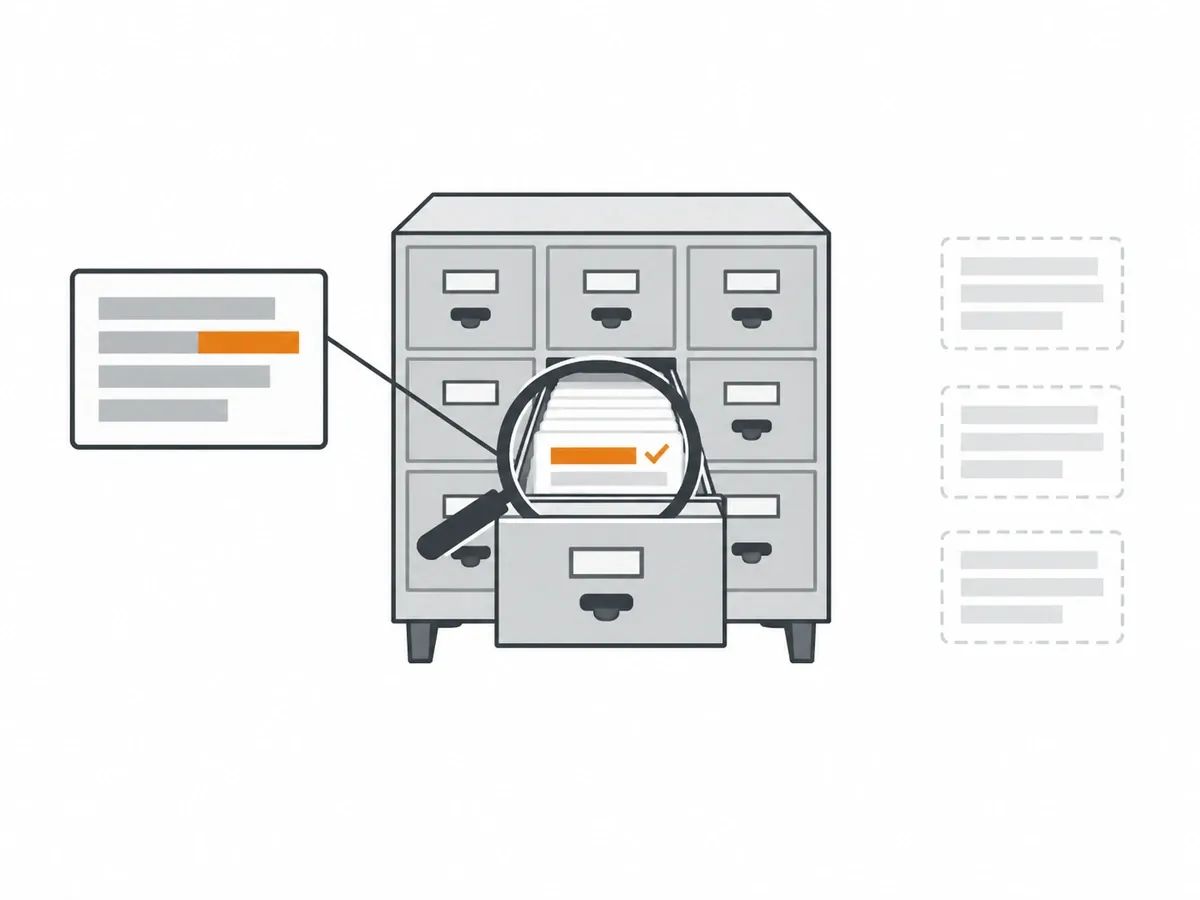
The first check on any tier 1 page is whether it is indexed.
A dated figure comes from IndexVero's analysis: "Across 472,845 URLs checked between 3 July and 24 August 2026, IndexVero observed 52.70% as indexed." The page carries its own caveat: "The population was mixed and self-selected."
So the sample is not a random draw of the web. What it shows is that a link being live and a link's page being indexed are two different facts.
David Hahn of GetMentioned, quoted earlier, gives a first-hand report, dated 28 August 2026: "In the past few years I have not seen one case where anyone checked whether their tier-2 pages were indexed at all, and the number everyone does count, the number of references, says least about the effect."
Before anything is built that points at a tier 1 page, search for the page's URL or run it through an index checker. If the page is in the index, the structure has something solid to rest on. If it is not, the first task is getting backlinks indexed, because anything built under a page that is not indexed rests on a page that cannot count.
Pages and links do not stay put
A tiered structure is built on pages, and pages disappear. The Pew Research Center measured this in a study published on 17 May 2024: "A quarter of all webpages that existed at one point between 2013 and 2023 are no longer accessible, as of October 2023."
For the sample, the authors write: "we collected a random sample of just under 1 million webpages from the archives of Common Crawl", at a rate of "(approximately 90,000 pages per year)".
That sample is webpages in general, not pages carrying links to a client. But every tier is built on pages. When a tier 1 page goes offline, every tier 2 link under it points at a missing page, and when a tier 2 page goes, part of the support under the tier 1 page goes too. A structure that looked solid when it was built can be hollow later, and the only way to know is to look.
So a tiered structure needs re-checking from tier 1 outwards, and keeping track of links over time is part of running one.
What makes a tier 1 placement worth supporting
Not every tier 1 page is worth building under. The placements worth supporting sit on real, read, indexed publications, and the traits that make a placement worth supporting are the same traits we check before we place a link at all.
Before a Curated Link or a Guest Post goes out, we check the publisher the same way every time: indexed pages, organic traffic and its trend, Moz DA cross-checked against Ahrefs Domain Rating (DR), and referring domains, weighed together. Our guest post page puts the reasoning in one line: "DA sets the tier and price; DR and live traffic tell us whether the number is earned." We do not place on PBNs or networks. Every link sits in the body copy of the article, and a human signs off each one.
After publication, we check again. We confirm the page is live, the link is in the body copy, the anchor and target URL match the order, and the page is indexable. Only then is the URL reported to the dashboard. That post-publication check is part of the quality assurance standard every order goes through, and a delivered link carries 12-month replacement cover if it is removed or its page is taken down.
Our opinion, from the sections above: a link on a page that is not indexed has no path to count, so the check on the page comes before anything built on top of it.
Price matters as well, because a reader comparing services will ask what a tier 1 placement costs. Curated Links start at $60 per link, and Guest Posts start at $75 per post, with each Guest Post a 750+ word article. The full price tables, with every referring-domain band and DA band, are in the Rhino Rank guide to link building cost.
What to ask a tiered link building service
A tiered link building service should be able to answer five plain questions before you spend anything. The same questions help when comparing link building services of any kind.
- Which pages will the tier 2 links sit on, and can I see the URLs? You cannot check a page you cannot see.
- Are those pages indexed? A link on a page that is not in the index has no path to count.
- Is my tier 1 page indexed today? The whole structure rests on that page, so its status comes first.
- What report do I get, and does it list every URL? A report that names every placement lets you re-check the work months later.
- What happens when a tier 1 page is taken down? Pages disappear, so ask whether lost links are replaced, and for how long.
How to review tiered links you already have
If links were built for you in the past, by an agency, a freelancer or an earlier in-house effort, you can map the structure yourself. Work from your backlink profile outwards, in four steps.
- List the tier 1 pages. These are the pages on other sites that link directly to yours.
- Check each tier 1 page is live and indexed. Search for the page's URL, or run it through an index checker.
- Look at whether the page has organic traffic and links of its own. A page with links behind it has more to pass on.
- Look at what points at the tier 1 page. Note the tier 2 pages, what they are, and whether they are indexed.
The outcome of the review is knowing which tier 1 pages are worth building on.
Frequently asked questions
What is tiered link building?
Tiered link building is building links in layers. Tier 1 links point at your site, tier 2 links point at the pages that carry your tier 1 links, and tier 3 links point at the tier 2 pages. The tier number describes what a link points at, not what kind of link it is.
What is a tier 2 link?
A tier 2 link points at a page that carries one of your tier 1 links, rather than at your site. If an article on another publication links to you, and a different page links to that article, the second link is a tier 2 link.
What are tier 3 backlinks?
Tier 3 backlinks point at tier 2 pages, one more step away from your site. Guides describe the pages on the lower tiers as profile pages, forum entries, comments, directories and self-built blogs.
How does a second tier help a tier 1 link?
A second tier does three mechanical jobs. It gives crawlers a path to the tier 1 page, which helps discovery. It can help the tier 1 page get indexed, and a link only counts once its page is in the index. It also gives the tier 1 page links of its own, which in the 1998 PageRank model means the page has more to pass on.
What does a tiered link building service include?
A tiered link building service builds links to the pages that link to you, so ask what you are actually getting. Ask for the URLs of the tier 2 pages, the index status of those pages and of your tier 1 page, and a report that lists every URL so you can re-check the work later.
related Blog Posts



Join 7,000+ Clients Growing with Rhino Rank
Sign Up


Stay ahead of the SEO curve
Get the latest link building strategies, SEO tips and industry insights delivered straight to your inbox.